Licensing
Add a license or start a trial, see what a license covers and limits, keep your services licensed, and activate an air-gapped console.
The console starts with no license. Manage licenses in Administration → License. To add or delete a license, change the license of a service, or start or reset a trial, you need the admin role.
How licenses work
- One license for each database service, on one console. You cannot use the same key on a second console.
- A size for each server. The tier sets the vCPUs and memory that TimescaleDB can use on each server:
| Tier | vCPUs per server | Memory per server |
|---|---|---|
| Small | 4 | 16 GB |
| Medium | 8 | 32 GB |
| Large | 16 | 64 GB |
| XL | 32 | 128 GB |
| Unlimited | No limit | No limit |
A vCPU is one logical CPU, as nproc counts it. TimescaleDB for Ignition has
one size: Small.
- 3 servers for each service: a primary and 2 replicas. More than one server needs the HA entitlement.
- Infrastructure needs no license. Enrolled servers, backup servers and DCS clusters do not use a license.
Installing a license
On the License page, select Add license. In the Add or activate a license dialog, do one of these:
- Paste a license key (recommended), then select Add / activate. The console activates the license online.
- Paste the license file contents (
-----BEGIN LICENSE FILE-----), then select Add / activate. This needs no network. - Select Choose license files and select one or more
.licfiles.
The licenses that are already installed stay.
Start a trial
A trial covers all services and servers for 7 days. It needs network access. For an air-gapped install, email support@tigerdata.com for a trial, then see Air-gapped installs.
Request a code
Select Start trial. Enter your first name, last name, work email and company. Select Send code.
Enter the code
Enter the 6-digit code from the email. Select Start trial. The code is valid for 10 minutes. To get a new code, select Resend.
- Each install can start one trial, whatever the email.
- Personal, disposable and test email domains (for example
gmail.comorexample.com) cannot start a trial. - For each service, you pick a size: the tier that you would buy. The deploy limits TimescaleDB to that size. Pick Unlimited for no limit. To change the size later, change the license.
- Tiger Data can also send you a trial license key. Add it as in Installing a license, with no code. You reset it in the same way.
- When a trial expires, its status changes to Reset trial. Select it to get 7 more days. You can reset a trial up to 7 times.
- Do not delete an expired trial license. You cannot reset a trial that is not in the console, and the install cannot start a new trial.
The License page
The Status column of the license table:
| Status | Meaning |
|---|---|
| Active | The license covers deployments. |
| Expired | The term ended, or the signed file expired. |
| Revoked | Tiger Data withdrew the license. Contact Tiger Data. |
| Unbound | The license is genuine but not bound to this console (air-gapped only). |
| Unknown | The console cannot evaluate licensing. Contact support. |
| Invalid | The file is not a genuine license file. |
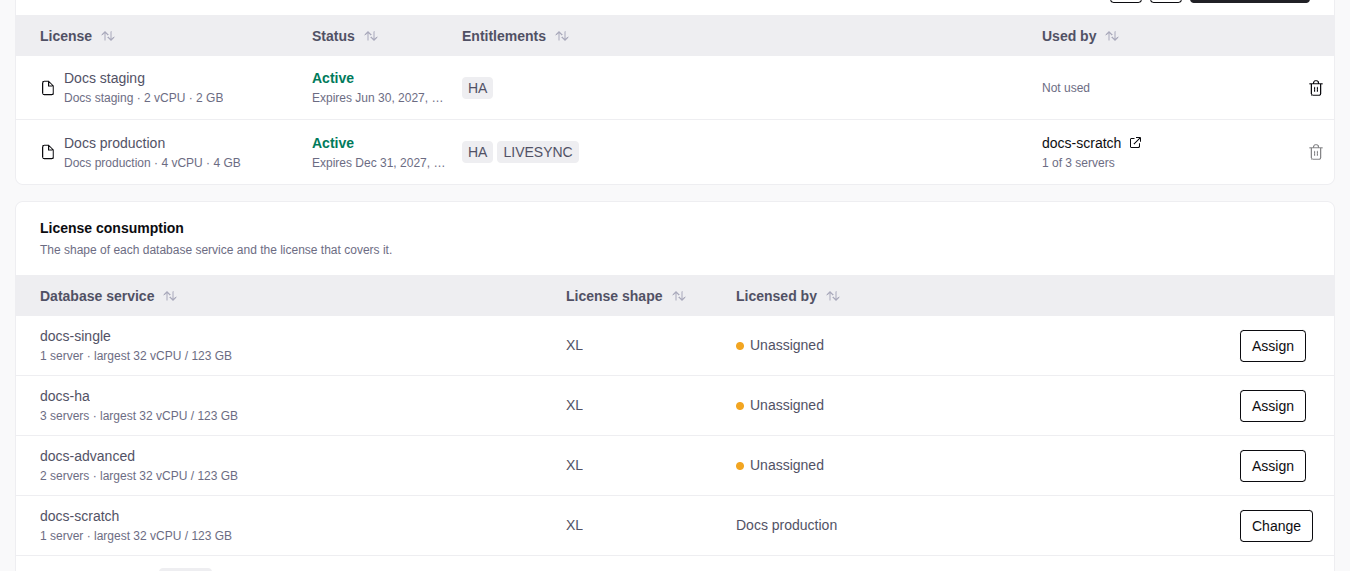
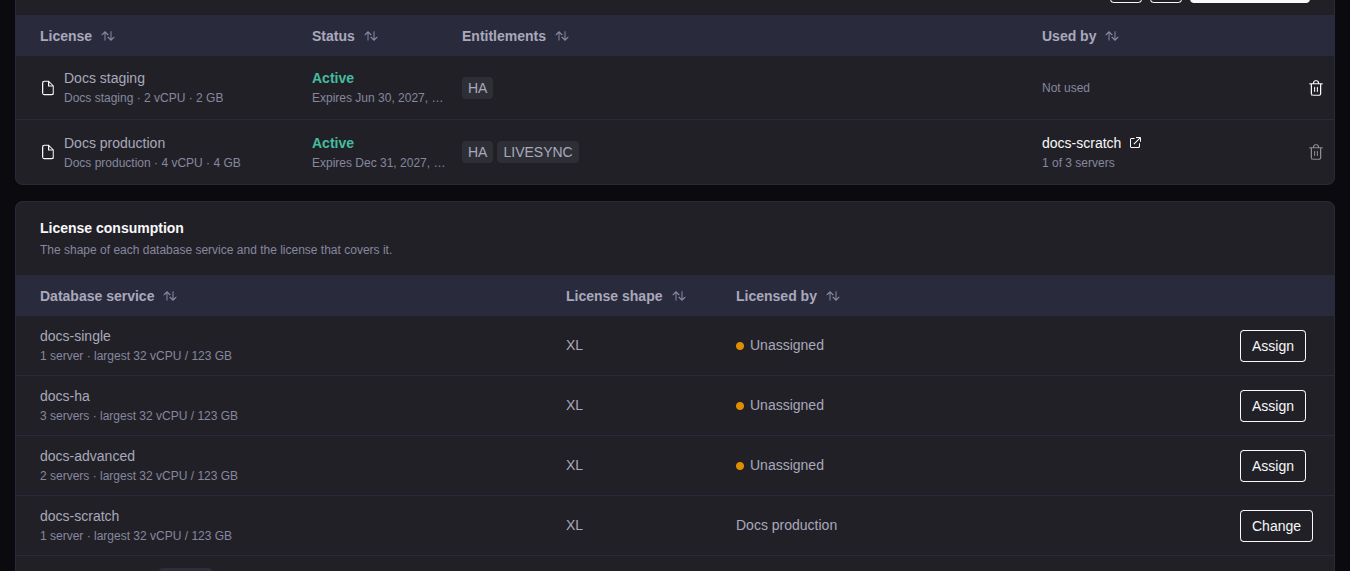
License consumption, below the licenses, shows for each service the License shape (the license it needs after the trial) and Licensed by. To move a service to a different license, select Assign or Change in its row.
A service with no license shows This service has no license. on its overview, and the console refuses its next deploy.
What needs a license
These actions need an active license that covers the servers of the service:
- Create a database service.
- Deploy or redeploy a service.
- Fork or recover into a new service. The new service needs its own license for the servers that you pick.
- Create or start a LiveSync session. The destination must
be one of these:
- A database service with an active license that has the LIVESYNC entitlement. TimescaleDB for Ignition licenses do not have it.
- A Tiger Cloud service (
*.tsdb.cloud.timescale.com). Do not putsslrootcertin the connection string.
These actions work with an expired license: backups, in-place restore, failover, switchover, restarts, stopping or removing LiveSync, removing a service, enrolling servers, and applying the monitoring configuration.
Staying licensed
For a license that you added with a key or a trial, the console:
- checks the license online once a day. It gets term changes, suspensions and reinstatements.
- renews the signed file before it expires.
The refresh button on the License page runs the check now.
Both need the outbound connections of the console host. If the console cannot reach the licensing service for more than 72 hours, the license stops. Restore the connection before then.
A license that you added as a file is not checked or renewed. Without the OFFLINE entitlement, it stops when the file expires. An air-gapped license (OFFLINE) gets new files in a bundle (see Air-gapped installs).
When a license expires
The console blocks new deployments and forks. Running services continue to run. Hover over the Status of the license to see the next step:
- Trial: select Reset trial. After the last reset, ask Tiger Data for a license.
- License added with a key: ask Tiger Data for an extension, then select the refresh button.
- License added as a file: ask Tiger Data for a new file, then upload it.
- Any license: move its services to a different license. For each service, change the license.
To delete a license, move its services first.
When writes stop
When a trial or a paid license expires, or a license is suspended, each
service that uses it becomes read-only. A service whose database is not
licensed also becomes read-only when the time left on its overview runs out.
While the database is not licensed, the services list shows Not licensed,
and the alert LicenceGrantMissing fires. While writes are
disabled, the service overview shows a banner.
Queries continue to work. PostgreSQL refuses these with SQLSTATE 25006 and
the expiry date:
- Inserts, updates, deletes and schema changes.
- Functions that change data, for example
drop_chunksand large object functions. - Row locks (
SELECT ... FOR UPDATE). - Changes from a logical replication subscription. It catches up when writes start again.
Backups, streaming replicas and monitoring continue.
To start writes again, renew the license, or move the service to another license (see Changing the license). For a database that is not licensed yet on an air-gapped license, export a request and import the bundle (see Later rounds). Writes start within a minute.
A fork or recovery of a locked service onto an active license is writable. An in-place restore keeps the lock.
After you renew
The console reads the expiry from its signed file. It gets a new file within a day. To see the change now:
- Same license, new term: select the refresh button, or paste the key again.
- A different license: add it, then change the license.
Servers bigger than the license
You can deploy on a server that is bigger than the tier. The deploy then limits TimescaleDB on that server to the tier:
- vCPU: TimescaleDB runs only on the first vCPUs, up to the tier.
- Memory: TimescaleDB can use memory up to the tier, page cache included, with no swap. The server can reserve at most 80 % of the tier memory, so a query that needs more usually fails with an out-of-memory error. If the memory still runs out, the kernel stops one database process. PostgreSQL recovers, and open connections drop.
- Tuning: PostgreSQL is tuned for the tier size, not the server size.
The limits need cgroup v2 and systemd 244 or later. All supported operating systems have them.
When a limit applies, the service overview shows capped next to the license, and the topology card of the server shows what TimescaleDB can use.
On a server that is smaller than the size, TimescaleDB uses only what the server has. A smaller license can be sufficient.
Changing the license of a deployed service
Open the service and select ⋯ → Change license, or select Change in the License consumption table. The console applies the new limits with no redeploy:
- No interruption: a vCPU change, a higher memory limit, and settings that need only a reload.
- Restart needed: a lower memory limit, and a new
shared_buffers.
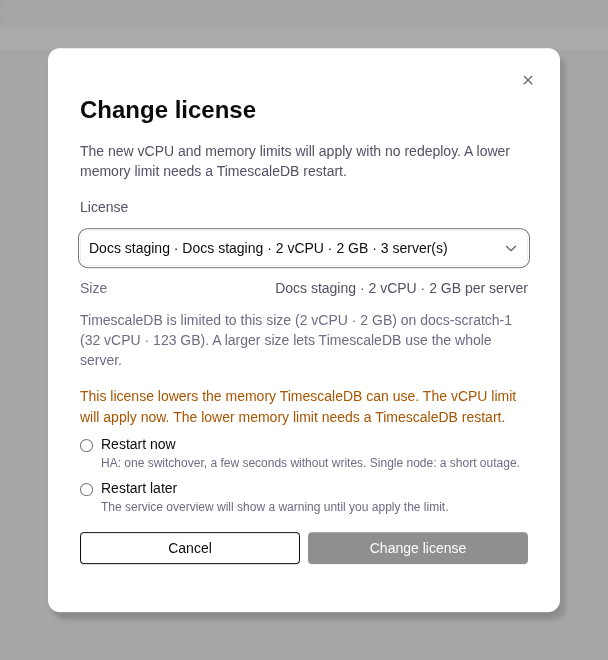
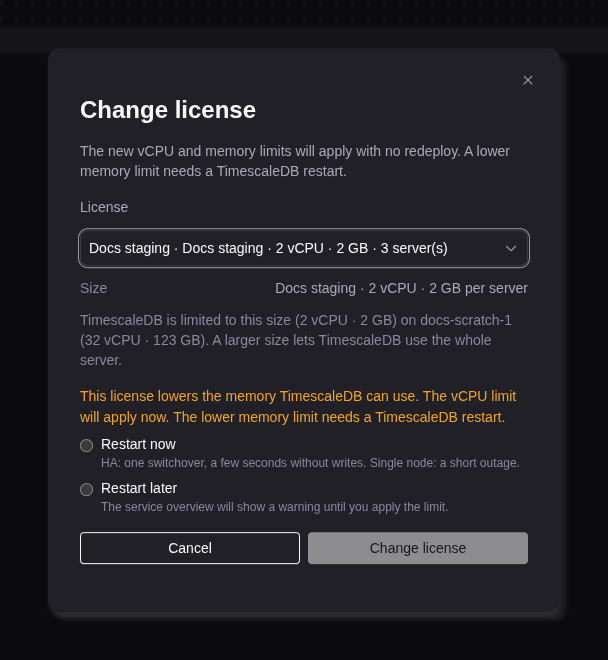
When a restart is needed, select Restart now or Restart later. Until TimescaleDB restarts, the service overview shows a banner:
- Restart to apply the license. (warning): the new license settings wait for a restart. An admin selects Apply now.
- Restart pending. (information): only new settings wait. An operator selects Restart.
Apply now on the banner restarts TimescaleDB:
- HA: the replicas restart one at a time, then a switchover. Writes stop for a few seconds.
- Standard: a short outage.
When extensions also wait for a restart, Restart to apply the license. names them, and Apply now also creates them.
The banner also shows after you resize a server. The Operations list shows these jobs as Apply license caps.
To tune again for the license size, open Database service admin and select Retune. It restarts TimescaleDB as Apply now does.
Air-gapped installs
An air-gapped console gets its license files in one exchange: you export a request file, and you import the bundle file that Tiger Data sends back. The activation takes two rounds of this exchange:
- Step 1 of 2: activate this console. The bundle adds the license and binds it to this console. After this step, the console can also use remote assist.
- Step 2 of 2: license your databases. Deploy your database services first. The bundle licenses each database. It has a signed file for each database that the console writes into the database (the license grant).


The Air-gapped license panel on the License page shows the next step. Each round has these steps:
Export a request
Under Air-gapped license, select Export request.
Send it to Tiger Data
Email the file to support@tigerdata.com. Tiger Data sends back one bundle file.
Import the bundle
Under Air-gapped license, select Import bundle and select the file (admin). The console shows the result of each file in it: Applied, Skipped (for example, a file that is applied already) or Failed with the reason. You can import the same bundle again.
The request has the IDs and the names of this console, of the license and of its databases, and the console version. It has no passwords or keys. One request and one bundle are for one license.
The next step and the licensed databases
Under the next step, the panel lists each database service of the license with its state:
| State | Meaning |
|---|---|
| Licensed | The database is licensed until the date that the panel shows. |
| Not licensed yet | Export a new request and import the bundle. |
| Not read | The service does not run now, for example while it deploys. Export a new request when it runs. |
| No license needed | Licensing does not apply to the service. |
When the license guard is not installed or not loaded on a service, the panel and the service overview say so, with the button that installs or loads it: Deploy, Deploy and restart or Restart. When the database is also not licensed, the overview shows Licensing is not set up for this database. with both steps. Do them in any order.
Later rounds
After the activation, run the exchange again when the panel or the service asks for it:
- After a deploy of a new or redeployed service, or a change of a service to this license. Export a request within 72 hours. The service overview also shows Export request and Import bundle while the database is not licensed.
- After a PostgreSQL major upgrade starts. The upgrade waits until the new cluster is licensed. See Upgrade the PostgreSQL major.
- After a renewal or a trial extension. Thirty days before an air-gapped license ends, the panel says so.
If the console cannot reach a database, the request does not include it, and the console names the service. Export a request again when the service runs.
Forking or recovering a locked service
A copy of a service that is not licensed can start read-only. On an air-gapped console, the restore wizard then asks for a bundle that licenses the copy:
Export a request
Pick the backup or the time and the license. Under License for the copy, select Export request and send the file to Tiger Data. If you change the pick, export a new request.
Select the bundle
Select Select bundle and pick the bundle file from Tiger Data. Then deploy. The console refuses a bundle that does not license this copy.