High availability
High-availability topologies with Patroni and etcd, the virtual IP and how to change it, and automatic failover and manual switchover.
A High-Availability service runs more than one PostgreSQL node. When the primary fails, a replica becomes the primary automatically. Replication is asynchronous.
Topologies
| Topology | PostgreSQL nodes | etcd (DCS) |
|---|---|---|
| Standard (not HA) | 1 | 1 member on the same server. Recovery is from backups. |
| Standard HA | 3 (primary + 2 replicas) | 3 members on the same three servers. |
| Advanced HA | 2 (primary + 1 replica) | A separate DCS cluster of 3 servers. More than one service can use it. See External DCS. |
You cannot change the topology of a service after the deploy.
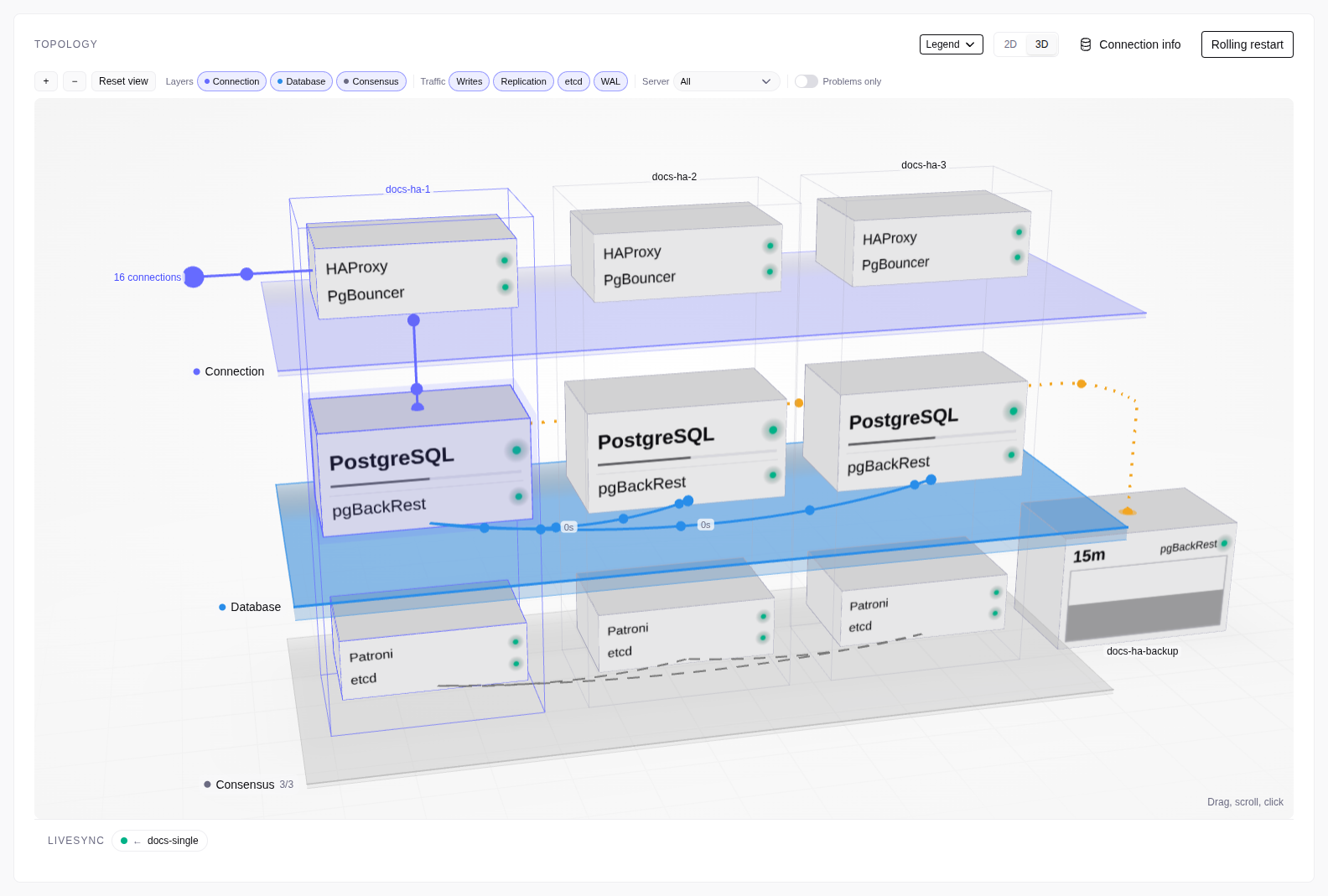
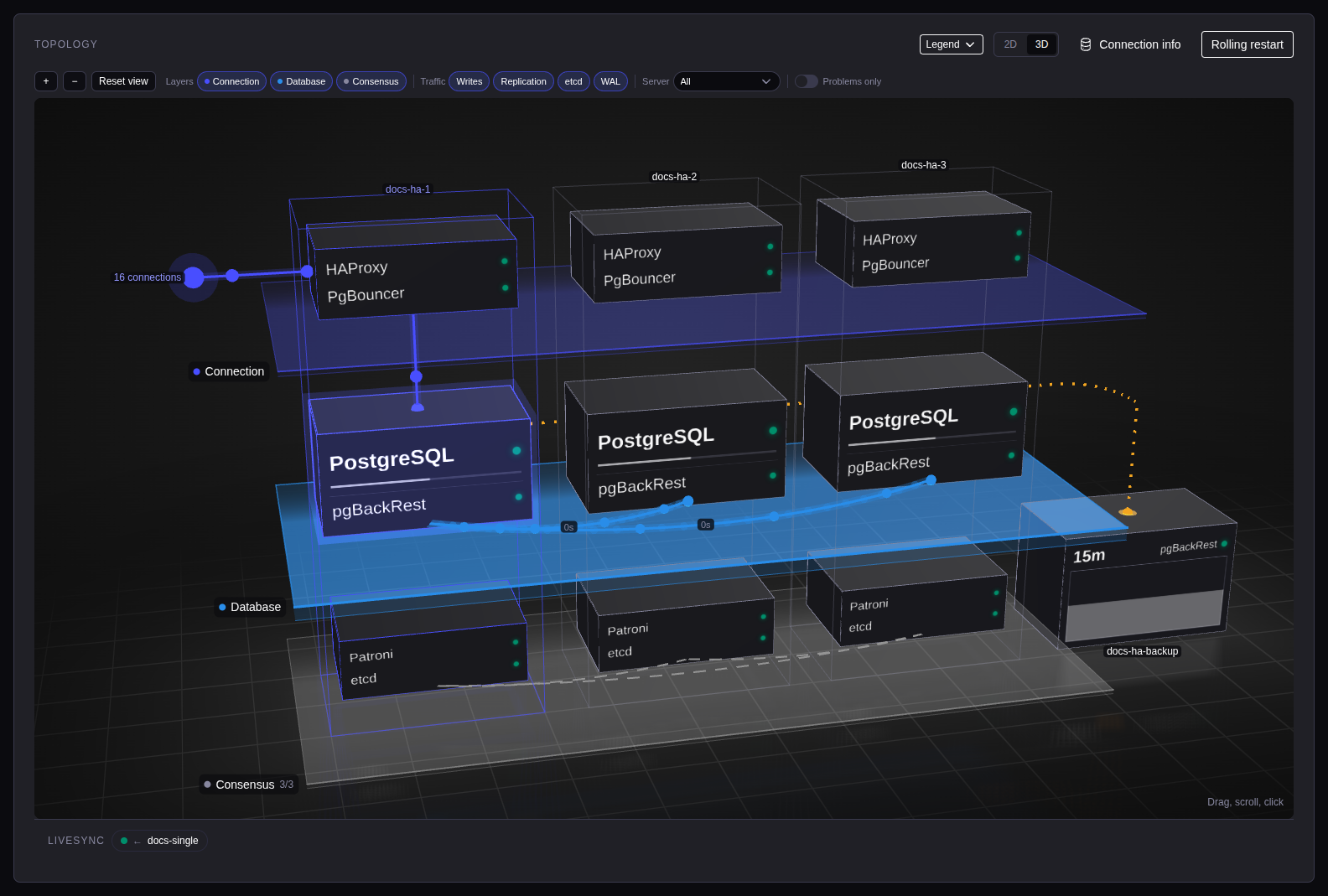
Virtual IP
Select Assign a virtual IP address (requires an L2 network) in the High-Availability step. The VIP is always on the current primary.
- The VIP is IPv4 and must not end in
.0. - The VIP must be in the subnet of a network interface on every node. The
vip_subnetcheck fails for a node with no such interface. - Two services cannot have VIPs with the same last octet. The console refuses a duplicate.
Change the VIP
The service must be Running.
Open Change VIP
Go to Database service admin → Operations → Change VIP.
Enter the new VIP
Enter the new VIP, then select Change VIP. The console checks the VIP on every PostgreSQL node. A node that fails the check, or that the console cannot reach, stops the change.
Move your clients
Move your clients to the new VIP. The connection strings show it at once.
The nodes change one at a time. The node with the old VIP changes last. Clients on the old VIP disconnect when it changes.
If the change fails, the status shows Failed until the next health check. Correct the cause, then run Change VIP again with the same VIP.
The console checks the VIP on each node about once per hour. If a node fails, the Overview shows VIP is stranded. Hover over the banner to see the cause. Correct it on the node, or change the VIP.
Failover and switchover
Open the ⋮ menu of a node in the Overview topology. You need the operator role or higher.
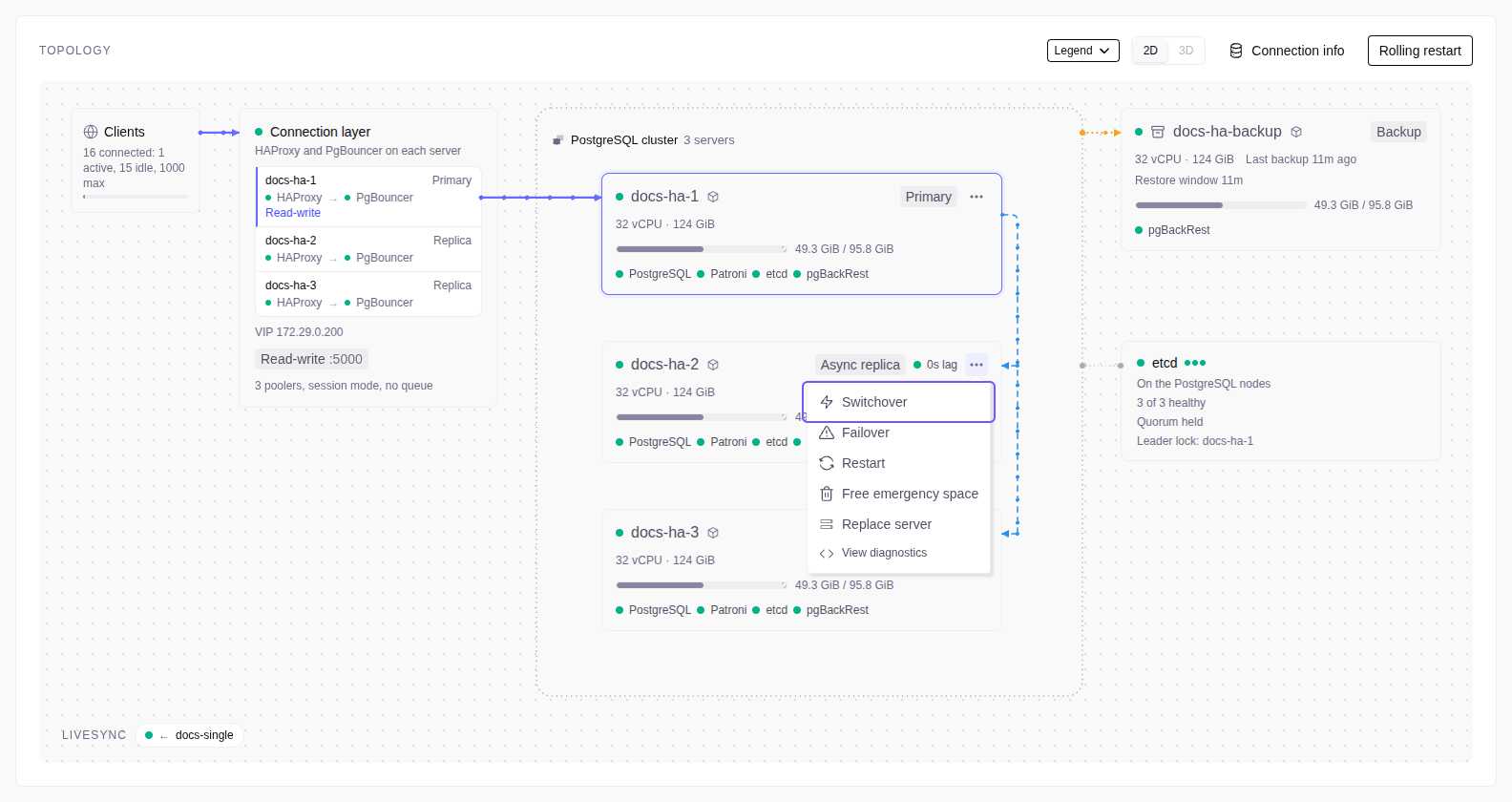
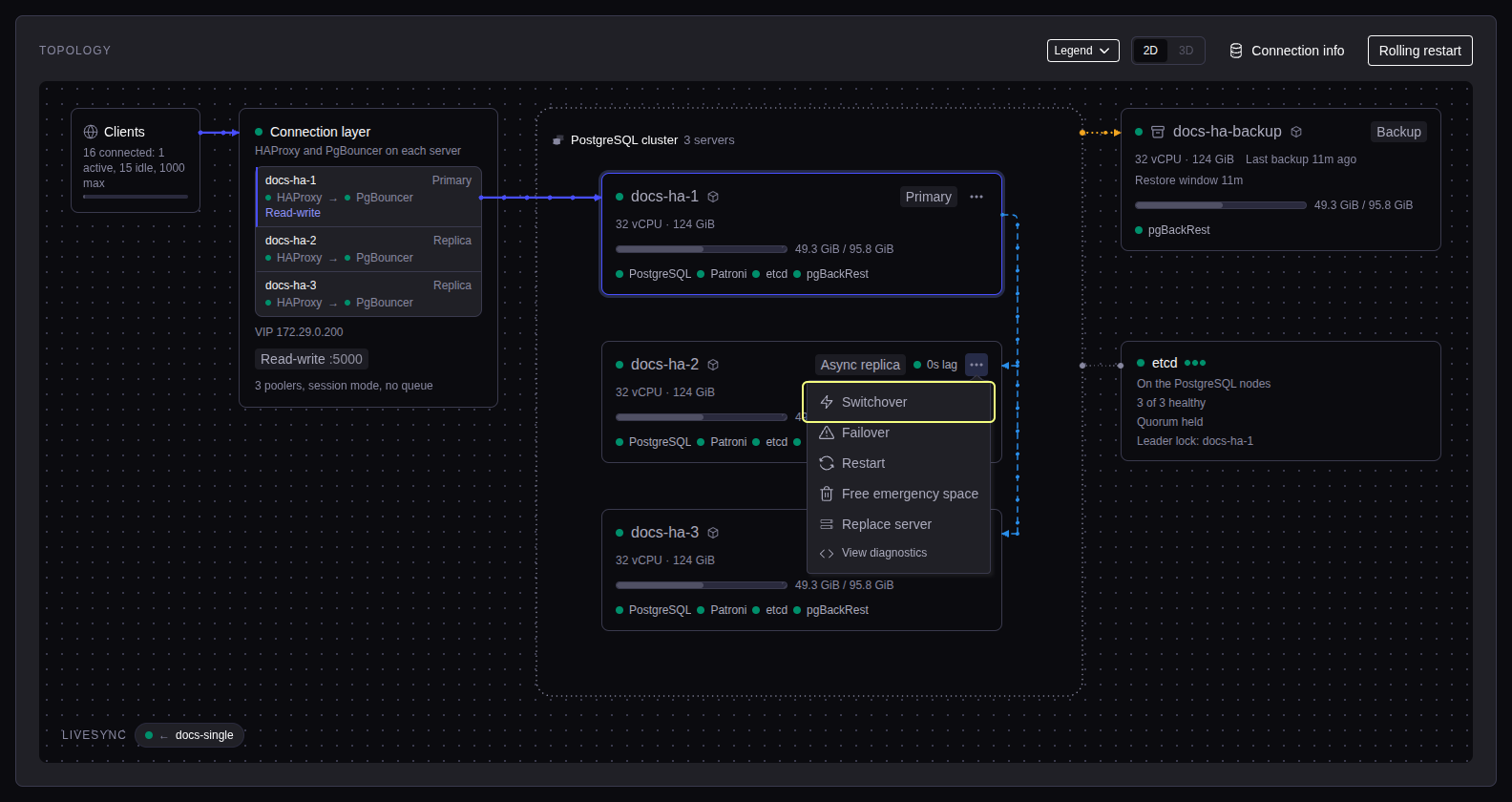
| Action | Where | What happens |
|---|---|---|
| Switchover | Replica menu | That replica becomes the primary. Writes stop for a few seconds. |
| Failover | Replica menu | Forces that replica to become the primary. Use it only when the primary is down. Data loss can occur. |
| Restart | Any node menu | Restarts PostgreSQL on that node. Clients of the node disconnect. |
| Rolling restart | Topology header, or Database service admin → Operations | Restarts PostgreSQL on each node, one at a time. Writes stop while the primary restarts. |
When the primary fails, a replica becomes the primary automatically, and the VIP and new connections move to it. A replica more than 1 MB behind the primary does not become the primary.