Monitor and manage
Check replication, change the table selection, stop, start or delete a LiveSync session, and fix failures after HA or server failures.
Verify replication
Open LiveSync. The Status column of the syncs table shows the replication health:
| Status | Meaning |
|---|---|
| Starting | LiveSync has not registered on the target yet. After 10 minutes, the status changes to Not replicating. |
| Replicating | The tables replicate with no error. Check that the lag goes down. |
| Not replicating | The subscription has an error, has no tables, or is gone. |
| Status unknown | The console cannot read the replication state. Check that the target is reachable. |
| Deploying, Stopping, Removing | An operation is in progress. |
| Stopped | The session is stopped. |
| Not started | The create did not finish. The console marks the session as failed soon. |
Select a session to open its panel. The panel shows the table progress, the table errors and, for a managed source, the slot lag. The console checks each session every 2 minutes. Look at the check time before you act on a status.
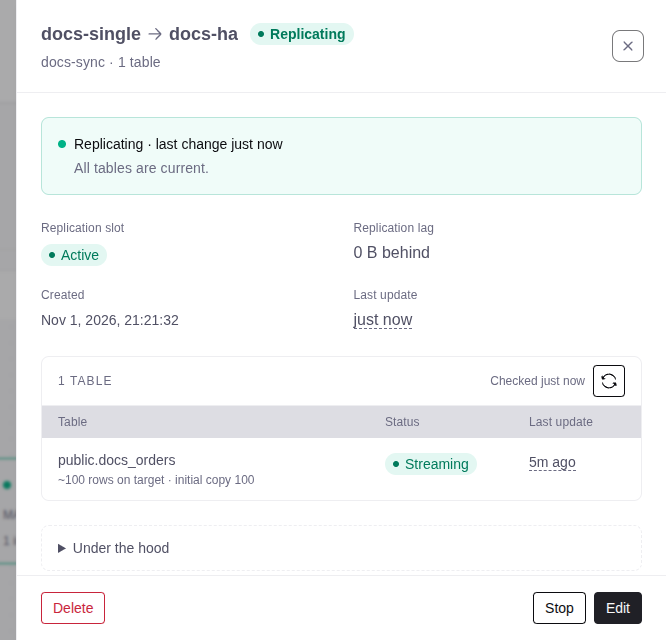
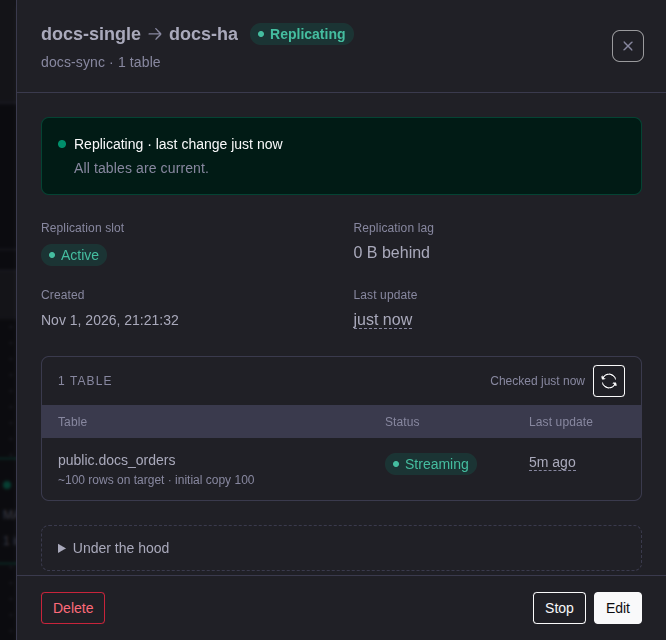
To test that data arrives, use disposable data in a published table:
- Insert a unique row on the source. Make sure that it arrives on the target.
- Update and delete the row on the source. Make sure that the target changes.
- Make sure that the panel shows no table errors and that the lag goes down.
Add or remove tables
You can edit the tables only when the source is managed and the console created the publication. The session must be running.
Open the edit
In the session panel, select Edit.
Select the tables
Select or clear tables. Before you turn on Create missing source tables on target, install the extensions that the tables need on the target.
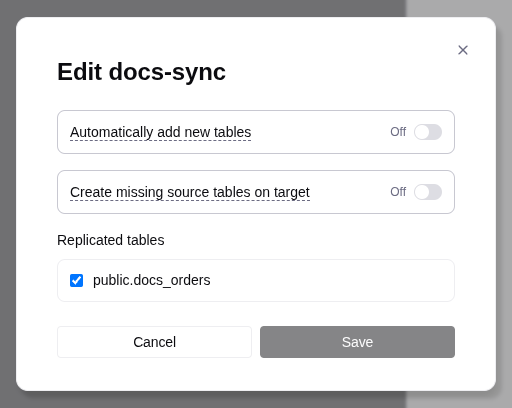
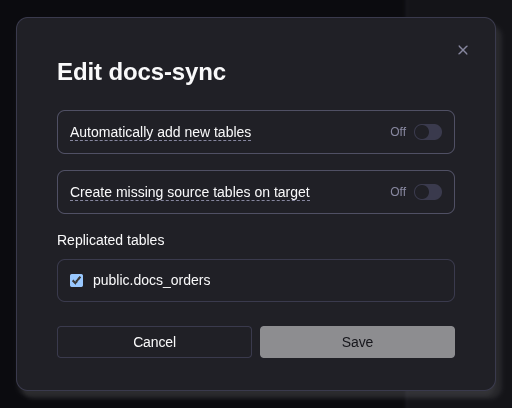
Apply the change
Select Apply and restart replication. Replication stops for a short time.
- A removed table stops replicating. Its rows stay on the target.
- Automatically add new tables adds only tables that you create after you turn it on.
For an existing publication or an external source, change the publication on the source and prepare the new target tables. Then select Stop and Start.
Stop, start, and delete
| Action | Effect |
|---|---|
| Stop | Stops LiveSync on each server of the service. The source slot stays, so the session can resume. |
| Start | Deploys LiveSync again and starts it on the primary. On a failed session, the panel shows Retry. |
| Delete | Removes LiveSync from the servers, then removes the source slot and the target subscription state. Copied rows stay on the target. A new session cannot resume from it. |
- Use Stop to pause a session. If you stop the service on the server by hand, LiveSync starts again within seconds.
- If the process crashes again and again for about 6 minutes, the session fails and LiveSync stops on each server. The panel shows Last operation failed.
- If a deploy fails, the session fails, or is Stopped after a failed Start. Fix the cause, then select Retry or Start.
- Delete also removes a publication that the console created, when no other session uses it. It keeps a publication that you supplied.
- If a database was unreachable during Delete, check it for a leftover slot or subscription. A leftover slot keeps WAL.
Delete needs an answer from each PostgreSQL server of the service that runs LiveSync:
- One server does not answer: the session shows Removing, then it fails. The source slot stays and keeps WAL. Restore access to the server and delete again. If the server is lost, release it from its slot (see Replace a server), then delete again.
- No server answers: the session is removed at once. The console drops the slot of a managed source. Remove the target subscription state and the slot of an external source yourself.
HA and server failures
A deploy (create, Start, or a change of tables) needs an answer from the primary. If the primary does not answer, the console changes nothing. If a replica does not answer or its deploy fails, the operation shows a warning that names the replica. That replica cannot take over LiveSync correctly. When the replica is healthy, select Stop, then Start.
Sessions created on an early access release
A session created on an early access release (v0.X.Y-eap.N) runs on one
server only, and a failover does not move it. To move it to the primary:
- Make sure that the server of the session answers. For an external database, make sure that each PostgreSQL server of the service reaches it.
- Select Stop, then Start.
If the server does not answer, Start shows an error such as
could not move live-sync to cluster placement. Restore access, then try
again. If the server is lost, delete the session. Then check for a leftover
target subscription and, for an external source, a leftover slot.
Source replication slots
When the console sets wal_level to logical on an HA source, it also sets
sync_replication_slots=on. If
wal_level was already logical, or the source became HA later, check slot
synchronization on the standbys yourself.
If a slot is lost, Start cannot recover. The session needs a new initial copy. Decide what to do with the rows already on the target.
Troubleshooting
| Symptom | What to do |
|---|---|
| Licensing blocks create, Start or new tables | Bind a license with LIVESYNC to the managed target. For an external target, use a Tiger Cloud service and an active license. |
| The subscription or slot name is rejected | Use a distinct name. See Multiple sessions. |
| The source check fails | Check the PostgreSQL version and wal_level. An external source needs the named publication. |
| An external database is unreachable | Check DNS, TLS, firewall, access rules and credentials from each server of the service that runs LiveSync. |
| The primary does not answer | Restore access to the primary, then try again. |
| Table creation reports a server version mismatch | The source runs a newer PostgreSQL major than the target. Create the tables on the target yourself. |
| The process runs but data does not move | Read the table errors. Check the publication, target tables, permissions and source slot. |
| A new table does not replicate | Check that it is in the publication, and check Automatically add new tables. |
| The session fails or restarts often | Read the logs (below), fix the cause, then select Retry. |
The logs, in the session panel:
- Recent service logs, under Under the hood (operator role).
- View operation logs. The deploy logs are also on the Operations tab of the service that runs LiveSync.
See also Logs and support.