LiveSync
Continuously replicate PostgreSQL and TimescaleDB data between managed services and external databases with logical replication and LiveSync.
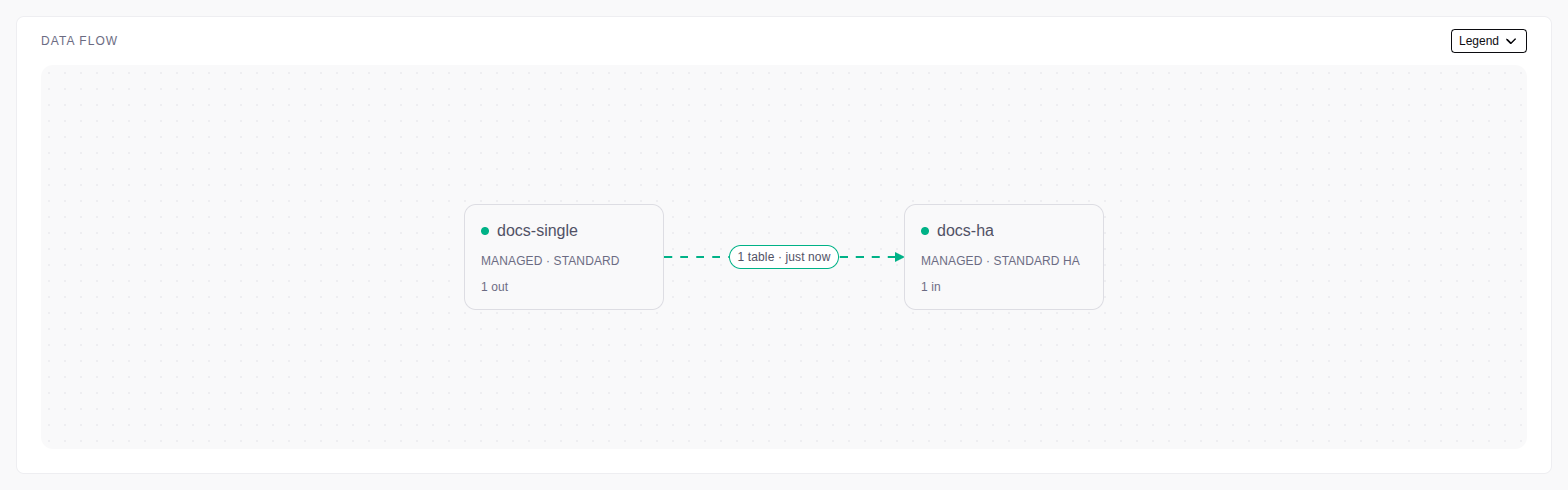
LiveSync copies the existing rows of the selected source tables to a target database. Then it streams the changes with PostgreSQL logical replication. Applications can write to the source while you query the target.
To start, create a session. Then monitor and manage it. For settings, capacity and SQL checks, see Configuration and diagnostics.
A session connects one source database to one target database. A publication on the source selects the tables. Replicated rows do not go through the console.
Supported connections
| Source | Target | The LiveSync process runs on |
|---|---|---|
| Managed service | Managed service | The primary of the target service |
| Managed service | External database | The primary of the source service |
| External database | Managed service | The primary of the target service |
- One endpoint must be a managed service. A service cannot be both endpoints.
- Single-node and HA services can be sources or targets.
- On an HA service, only the primary runs LiveSync. After a failover, LiveSync starts on the new primary, also when the console is down. You do not select a server.
Current limitations
- Schema changes: the console creates missing target tables, but it does not change existing tables. Apply later DDL (for example, a new column) on the target yourself.
- Hypertables: automatic setup copies the first time dimension and its chunk interval. Create integer or extra dimensions on the target yourself.
- Compression: compressed source data arrives uncompressed. Compression settings and policies are not copied.
- Continuous aggregates (CAGGs): select a CAGG by its view name.
Auto-add includes new CAGGs. It does not add CAGGs that you chose to leave out.
LiveSync copies its stored results into a target table with the same name.
With TimescaleDB on the target, automatic setup creates a hypertable.
Before a CAGG enters a console-managed publication, the console sets
REPLICA IDENTITY FULLon its source materialization hypertable. The console does not reset replica identity after removal or a failed setup. For a customer-managed publication, set replica identity on the source yourself. If replica identity is notFULL, the console reports the requiredALTER TABLEcommand. CAGG definitions, refresh policies, and watermarks are not copied. An existing target CAGG requirestimescaledb.materialized_only=true. The table picker excludes other internal TimescaleDB tables. - Names: schema and table names stay the same on the target.
- Multiple sources: create one session for each source. Two sources that publish the same table name write to the same target table, with no conflict resolution.
- Initial copy: each new session copies the existing rows first. You cannot skip the copy.
- Network: the server that runs LiveSync must reach both databases directly. There is no SSH tunnel setting.