External DCS
Run etcd on a separate DCS cluster for Advanced HA services, check the health of the cluster, redeploy it, and replace a member server.
Each High-Availability service keeps its leader in etcd, the DCSDCSDistributed configuration store. etcd keeps the leader of each HA service.. Standard HA runs etcd on its 3 PostgreSQL servers. Advanced HA uses a DCS cluster: 3 servers that run only etcd. More than one service can use one DCS cluster.
Risks of colocated etcd
On Standard HA, etcd shares the disk and the CPU with PostgreSQL. A heavy load or a full disk can cause a failover with no hardware fault (see etcd disk full).
When the console manages 2 or more etcd clusters, the wizard recommends Advanced HA. Each Standard HA service and each DCS cluster counts as one.
Deploy on an external DCS
Enroll three servers
Use a different failure domain for each server (see
Placement rules), and an SSD
for /var/lib/etcd.
Create the DCS cluster
Go to Infrastructure → DCS clusters and select Create DCS
cluster. Enter a name and select the three servers. Run checks
warns below 1 vCPU, 1 GB memory or 2 GB disk, and when port 2379 or
2380 is in use. Warnings do not block the create.
Deploy the service
In the create wizard, select High-Availability, then Advanced HA. In the etcd configuration step, select the DCS cluster. You can also create the DCS cluster from this step.
You cannot delete a DCS cluster while a service uses it. A delete removes etcd and its data from the servers. The servers stay enrolled.
Check cluster health
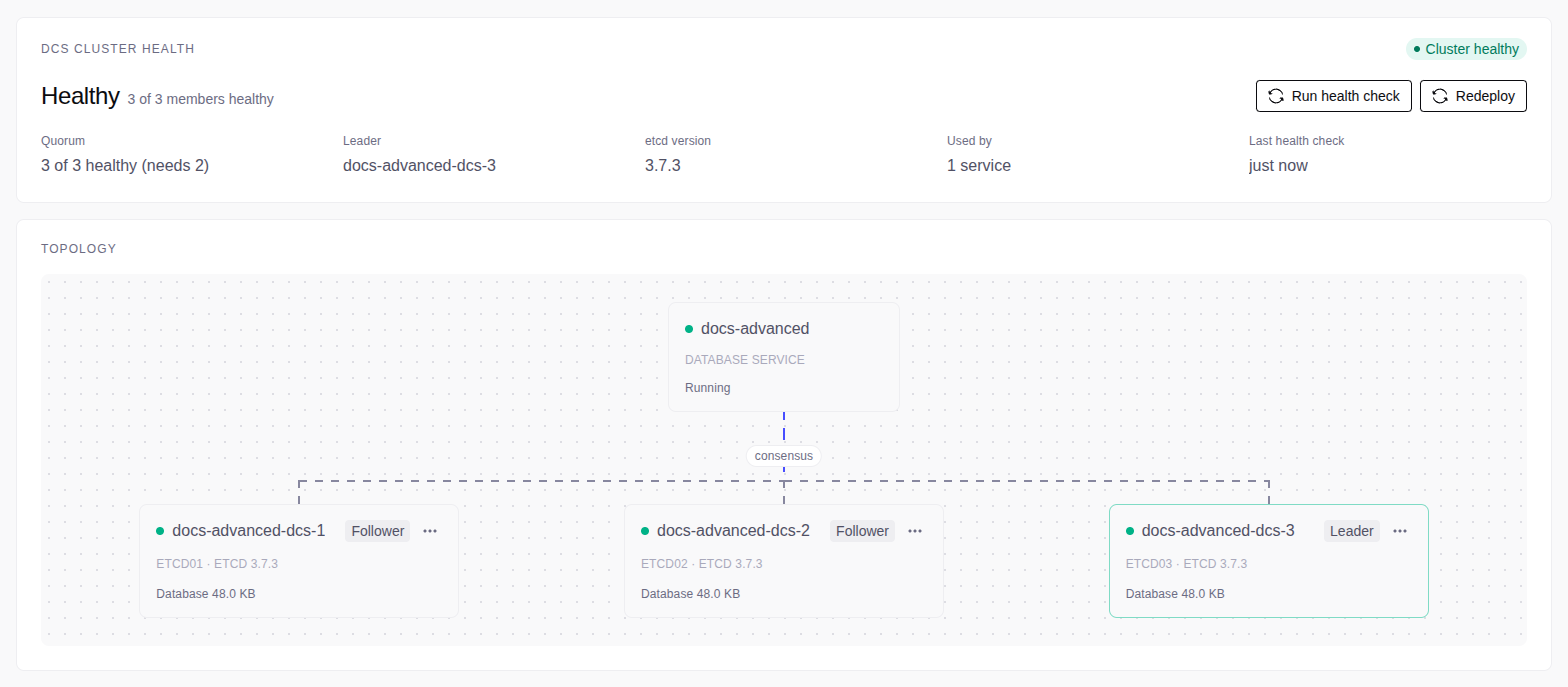
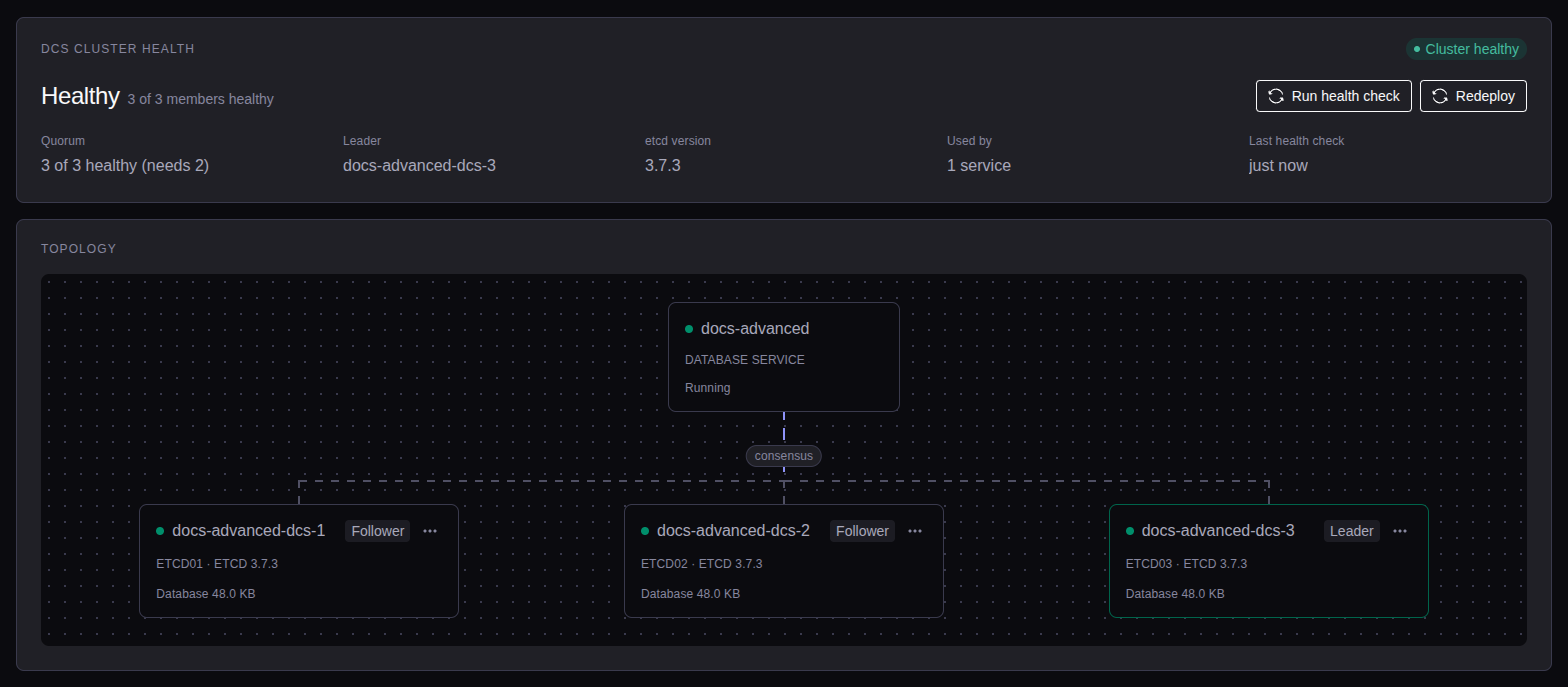
On Infrastructure → DCS clusters, select the cluster name. Select Run health check to check again.
| Status | Meaning |
|---|---|
| Healthy | All members are healthy. |
| Degraded | At least one member is down. Quorum holds. |
| Quorum lost | Fewer than 2 of 3 members are healthy. |
| Quorum not verified | The console could not check a member. The member shows Not verified. |
| Console cannot reach the mesh | The console reaches no server. Check the network of the console first. |
Quorum at risk shows when one more member failure would lose quorum. Bring the down member back before you stop another member. Without quorum, the services cannot fail over.
Redeploy the DCS cluster
A console upgrade can change the etcd settings. To apply them, select Redeploy on the cluster page. You need the admin role.
Each member with changed settings restarts, one at a time. If a member does not come back healthy, the redeploy stops: fix it, then select Redeploy again. A member that is down, or a service that is not healthy, blocks the redeploy.
Replace a member server
Release the server
Open the menu of the member and select Replace server. The console deletes the etcd data of the server. The server stays enrolled.
Fill the empty slot
On the empty slot, select Fill with a server, and select a free server or a new one. The rebuild starts.
See Replace a server.