Relay zones
Connect servers that cannot reach the console, for example below an industrial DMZ, through relays that forward their connections to the console.
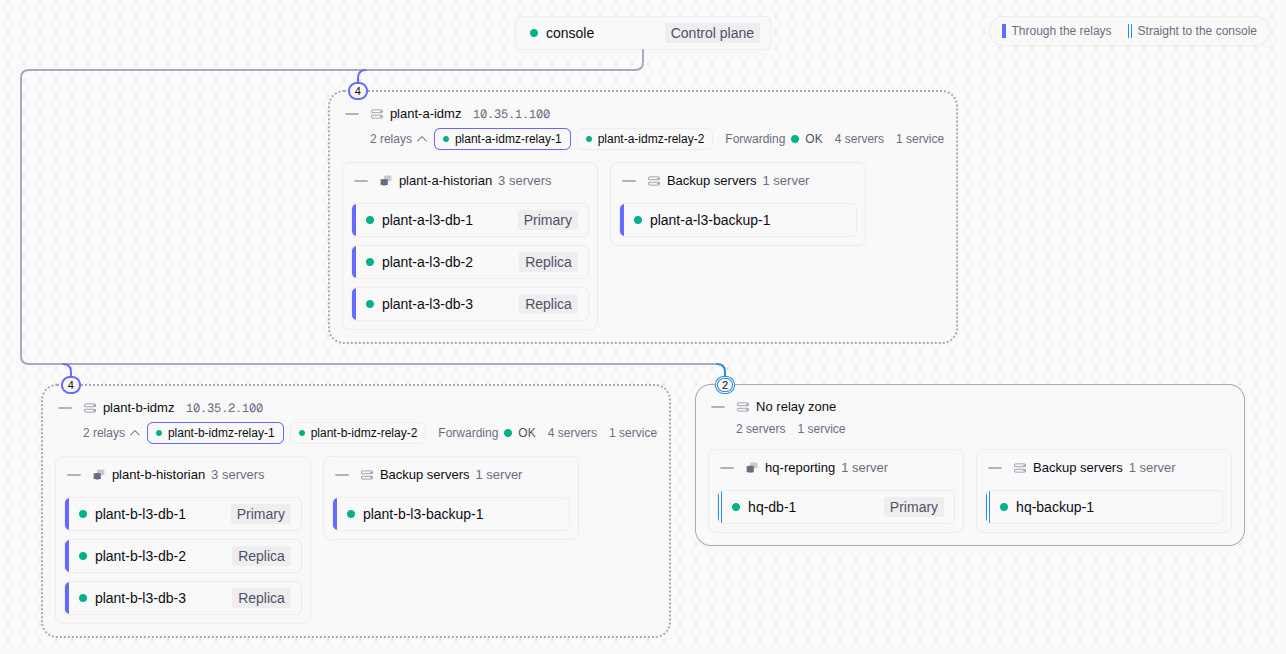
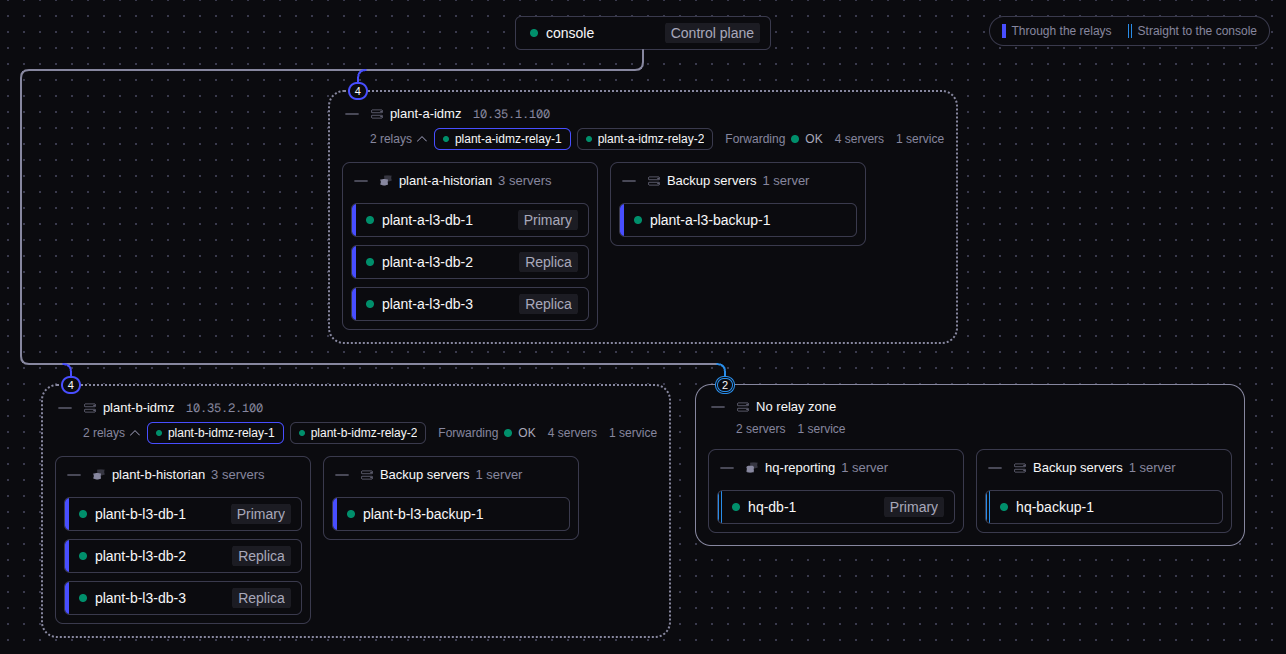
A relay zone connects servers that cannot reach the console. Its relays are servers that the console and the servers of the zone both reach. The relays forward the connections of the servers of the zone to the console.
When to use a relay zone
Use a relay zone when a group of servers cannot connect to the console host, but can connect to servers in a zone between, for example:
- An industrial site with the Purdue model: the console runs in the enterprise network or in a data center, the database servers run at Level 3 or below, and the relays run in the industrial DMZ (Level 3.5).
- A network segment whose firewall lets its servers connect only to the segment next to it.
A server that reaches the console but cannot resolve its host name needs no relay zone. See Servers with no DNS.
How a relay zone works
- The zone address. The relays share one IPv4 address. One relay holds it at a time. When that relay stops, another relay takes the address. When it loses its path to the console, a relay that still reaches the console takes the address.
- What a relay forwards. Enrollment and the mesh connections of the servers of the zone. The mesh traffic stays encrypted through the relay. A relay does not forward the console UI or the API.
- The servers of the zone. The enroll command adds a line that ends with
# tse-relayto/etc/hosts. It maps the host name of the console to the zone address. Do not remove or change it. When other software writes/etc/hostsagain, for example cloud-init at a boot, the server adds it again. - A relay is in use. It cannot also be a database server, a DCS server, a backup server or a LiveSync host.
Requirements
- A DNS name in the console URL.
TSE_PUBLIC_URLuses a DNS name, for examplehttps://console.example.com, not an IP address. The console refuses to create a relay zone when the URL has an IP address. - One or more relays. One relay works. Use two or more to keep the zone connected when a relay is down. Each relay is an enrolled, free server that reaches the console directly and that the servers of the zone reach. It meets the server requirements of a relay.
- Each relay resolves the console name. Use DNS, or enroll the relay with a console address.
- Each relay trusts the certificate of the console. With your own
certificate (TLS mode
provided), the relay must trust the CA that signed it. A self-signed console needs nothing. - A free address for the zone. An IPv4 address that no host uses, in the
subnet of a network interface of each relay, and outside the mesh subnet
(
TSE_MESH_SUBNET). Its last number must differ from the last number of each other zone address and service VIP on the same network segment. - One network segment for the relays. The relays of a zone are on one network segment (layer 2): the zone address moves only inside a segment.
- The servers of the zone reach the zone address. See Firewall rules.
Firewall rules
| From | To | Port | For |
|---|---|---|---|
| Direct server | Console host | The port of the console URL (443/tcp by default), 8090/tcp, 3478/udp, 41641/udp |
Enrollment and the mesh. No change for a direct server. |
| Server of a zone | Zone address | The port of the console URL (443/tcp by default) |
Enrollment |
| Server of a zone | Zone address | 8090/tcp |
The mesh |
| Server of a zone | The address of each relay | 8090/tcp |
The preflight check of each relay, in a zone with two or more relays |
| Server of a zone | The address of each relay | 41643/udp (optional) |
Faster mesh traffic. Without it, the traffic goes through 8090/tcp. |
| Console host | The address of each relay | 41643/udp (optional) |
Faster mesh traffic. Without it, the traffic goes through 8090/tcp. |
| Relay | Console host | The port of the console URL, 8090/tcp |
Forwarding |
| Relay | Console host | 3478/udp, 41641/udp (optional) |
A direct mesh path of the relay itself. Without them, the mesh traffic of the relay goes through 8090/tcp. |
| Relay | Relay | IP protocol 112 (VRRP), on the network segment of the zone address | The move of the zone address, in a zone with two or more relays |
| Console host | Zone address | 8090/tcp (optional) |
The forwarding check of the console. Without it, the check shows a failure, but the zone works. |
| Server of a zone | Server of the same zone | 41642/udp |
Direct mesh paths inside the zone, for example replication |
Servers of one zone connect directly to each other, not through a relay.
A server of a zone needs no rule to or from the console host. Its deploys, package downloads, time service, metrics and backups go inside its mesh connection.
Create a relay zone
You need the admin role.
Enroll the relays
Enroll each relay as a direct server (see Enroll a server). With no DNS for the console, use a console address.
Create the zone
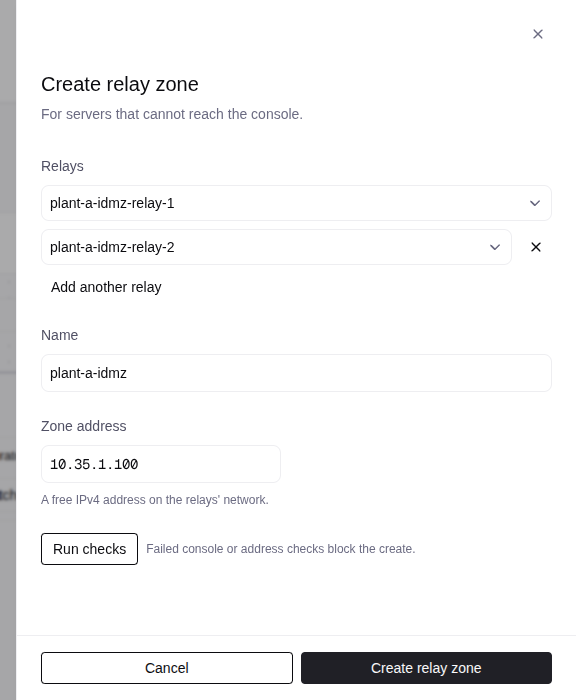
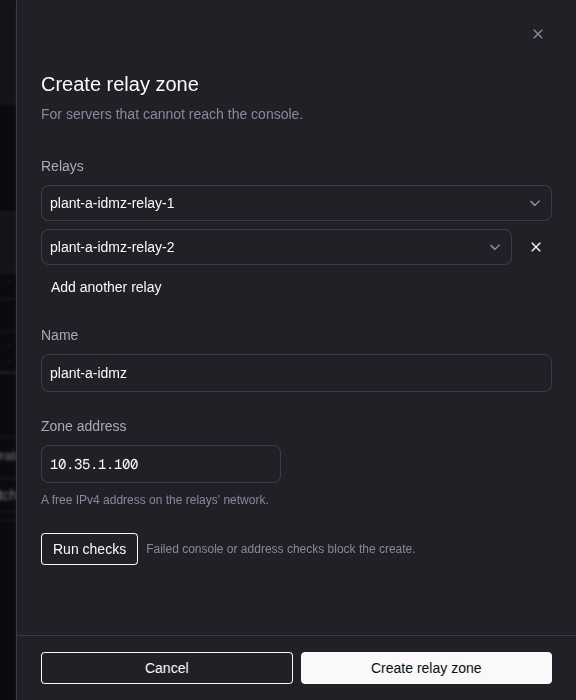
In Infrastructure → Mesh, under Relay zones, click Create relay zone. Select the relays, then enter a name and the zone address. The preflight checks that each relay resolves and reaches the console, and has a network interface in the subnet of the zone address. The console refuses a relay that does not reach the console by its name.
Wait for the deploy
The console installs the relay software on each relay from the server packages. When one relay holds the zone address, the forwarding check passes, and that relay shows Holds the address in the Relays column.


Enroll a server through a zone
Get the enroll command
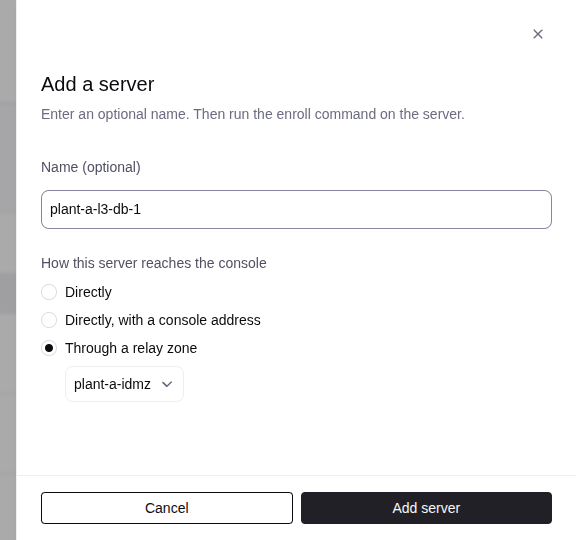
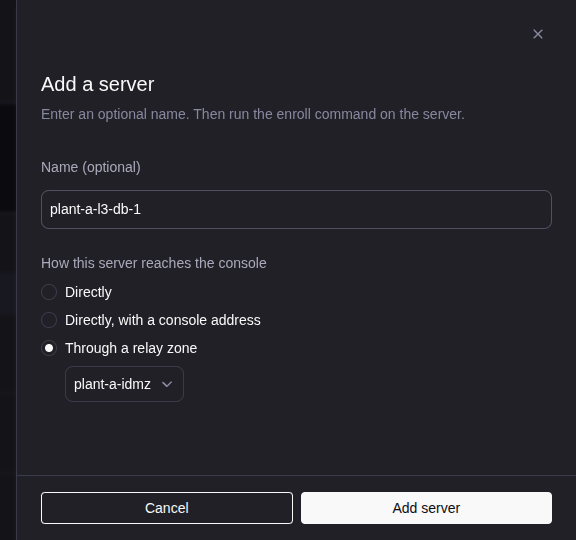
In Infrastructure → Servers, click Register new server. Under How this server reaches the console, select Through a relay zone, and select the zone. If the console asks you to redeploy the zone first, redeploy it.
Run the command on the server
The server joins the mesh through the zone.
The preflight relay row checks that a server of the zone resolves the
console name to the zone address and reaches it. It warns when the server
does not reach a relay at the address of that relay: that relay cannot take
over the zone address for this server. On a relay with two network
interfaces, the row can warn although the server reaches the relay: the
console checks only the address of the default route of the relay.
To move a free server into a zone or out of it, run a new enroll command (Re-enroll command) on it. The server keeps its mesh address. The servers of a database service move together, and so do the servers of a DCS cluster: see Move a service. Another server in use (a LiveSync host or a relay) cannot move: free it first.
Move a service
A database service moves into a zone, out of one, or to another zone with all its servers. Its data and its connection strings do not change.
You need the admin role.
Prepare the network
Open the firewall rules of the new path for each server of the service: the rules of a server of the zone, or of a direct server.
Check the change
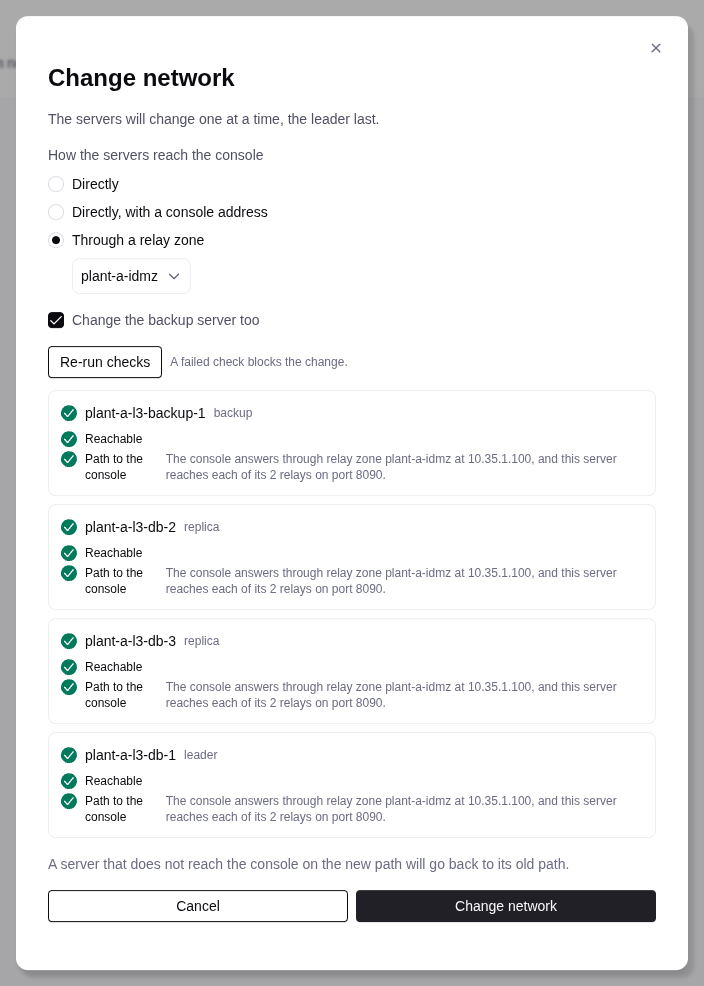
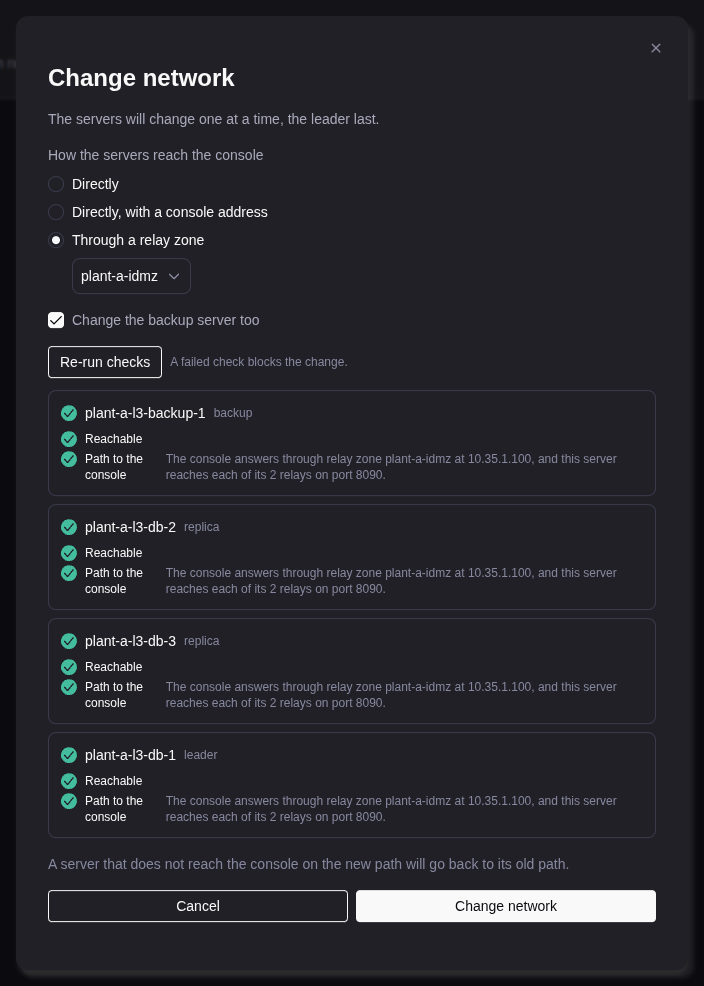
On the Admin tab of the service, under Operations, click Change network. Select how the servers reach the console. Keep Change the backup server too selected to move the backup server with the service. On an Advanced HA service, keep Change the DCS cluster too selected to move its DCS cluster with it. Click Run checks. Each server must reach the console on the new path.
Change the network
Click Change network. The servers change one at a time: the backup server first, the leader last, then the DCS cluster. PostgreSQL and etcd do not restart.
- A server that does not reach the console on the new path goes back to its old path, and the change stops. Fix the network, then run the change again: the servers that moved stay. To go back, run the change with the old path.
- A service that stops halfway has servers in two networks. Until you run the change again, the console refuses the actions that need one network, for example Change VIP.
- A DCS cluster that serves several services moves on its own. Move each service first, then click Change network on the page of the DCS cluster. Until then, a service whose DCS cluster is in another network cannot fail over while the console is down.
- A backup server that serves other services moves only when you select it. The checks warn for each service that then has its backup server in another network.
Add, remove and redeploy relays
- Add relay makes a free direct server a relay of the zone. A second relay keeps the zone connected when a relay is down. The servers of the zone need no new enroll command, and their connections stay.
- Remove relay removes the relay software and makes the server free. If that relay holds the zone address, the address moves once, and the servers of the zone reconnect. The console refuses to remove the last relay of a zone that servers use. Then redeploy the zone. Enroll commands of the zone from before the removal stop working.
- Redeploy runs the deploy of each relay again, one relay at a time, the relay that holds the zone address last. The address moves at most once. If a relay fails, the redeploy stops, and the other relays keep the zone up. Redeploy after the IP address of the console host changes, and when the zone shows Redeploy needed. The console then shows a banner and a dot on Infrastructure. A relay that you enroll again on a new or reinstalled server needs a redeploy of its zone.
- Update is the same action for a zone that shows Update available: the console has a newer version for its relays, for example after a console upgrade. The console then shows a banner.
- Rotate enroll key gives the zone a new enroll key and redeploys its relays. Enroll commands of the zone from before stop working. Use it when a copy of the enroll key may have leaked. When the disk, a snapshot or a backup of a relay may have leaked, replace the relay: remove it from the zone, delete the server, and add a newly installed server as a relay.
- Delete zone removes the relay software from each relay and deletes the zone. While a server uses the zone, the console refuses and names the servers: move each service, and give each free server a new enroll command first, or delete it.
While a service moves into or out of a zone, the actions of the zone wait.
The zone address cannot change. To use a new address, create a new zone, move each service into it, and give each free server a new enroll command.
When a relay fails
- The relay that holds the zone address stops. Another relay takes the address in a few seconds, and the servers of the zone reconnect on their own. Running clusters keep working. An operation in progress, for example a deploy, can wait until the connection is back.
- The relay that holds the zone address loses its path to the console. A relay that still reaches the console takes the address in about 30 seconds. Until then, the servers of the zone stay connected to each other.
- A relay comes back. It takes the zone address only from a relay that cannot reach the console.
- All relays of a zone stop. For the servers of that zone, this is a console outage: running clusters keep working, and a server that restarts joins the mesh again when a relay is back. The recovery is automatic.
- A server loses its line in
/etc/hosts. The server adds it again. If the line stays missing, the server cannot reach the console, and itsrelaypreflight row says so. Run a new enroll command on the server.
While the console is down
- The servers of the zone stay connected to each other, also a server that restarts, and all servers of the zone after a power loss. Their clusters, replication and backups inside the zone keep working.
- The relays keep the zone address. When the relay that holds it stops, another relay takes it.
- Deploys, enrollment, metrics, alerts, the UI and the API wait for the console. See Console outage.
- A zone with one relay has this only while its relay runs.
Servers with no DNS
A server that reaches the console but cannot resolve its host name can use a
console address: the IPv4 address of the console host on the network of the
server. In Infrastructure → Servers, click Register new server. Under
How this server reaches the console, select
Directly, with a console address, and enter the address. The enroll
command maps the console name to that address in /etc/hosts. The console
URL must have a DNS name for this too.
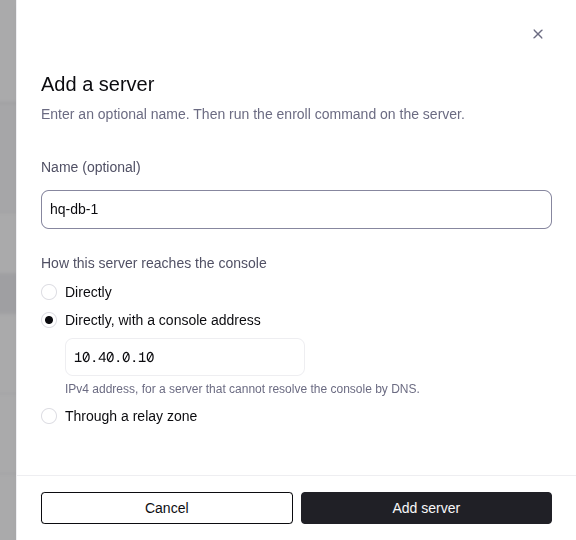
The preflight of such a server has a console_address row.
What must be in one zone
The network of a server is its relay zone, or the network of the console for a direct server. Servers in one network connect directly. Between networks, the traffic goes through the console.
| What | In different networks |
|---|---|
| The servers of a database service | The console refuses the service: replication and the DCS of the service must not depend on the console. |
| The servers of a DCS cluster | The console refuses the DCS cluster: its quorum must not depend on the console. |
| An Advanced HA service and its DCS cluster | The preflight warns: while the console is down, the primary stays up, but no automatic failover can happen. Move the DCS cluster with the service. |
| A service and its backup server | The preflight, the Overview tab and the Backups tab warn: backups are slow, and they stop while the console is down. |
| A restore into a new service and the backups that it reads | The checks of the restore warn: the restore is slow, and it stops while the console is down. |
| A LiveSync session between two services | The session warns: its throughput is limited, and it pauses while the console is down. |
Limits
- All traffic between the console and a server of a zone goes through a relay, over one TCP connection, and is slower than a direct path. Deploys take longer. Keep the backup server of a service in the zone of the service.
- One hop only: a relay reaches the console directly, and cannot be in a relay zone itself.
- The relays must connect to the console. A DMZ that cannot connect to the console host is not supported.