Settings
Which PostgreSQL, TimescaleDB, PgBouncer and HAProxy settings you can change, which settings the console owns, and how a change applies.
The Configuration tab shows the settings that the service runs with. An admin changes the PostgreSQL, TimescaleDB, PgBouncer and HAProxy settings and the HBA rules there. The console stores each change as an override, and writes it again on each later operation (see Overrides and other operations).
Owners
| Owner | The value comes from | Can you change it? |
|---|---|---|
| Sized from the server and the licence | The CPUs and the memory of the server. The licence can make it smaller. | No. Change the licence or the server size. |
| Set by the console | A feature of the console, or PostgreSQL. | No. Point to the lock to see the feature. |
| Default | The default of the console or of PostgreSQL. | Yes. Your change becomes an override. |
| Your override | An admin set it in the console. | Yes. Reset goes back to the default. |
| Unmanaged | No owner wrote it, for example a value from a restored backup. | Yes. Remove deletes it. |
| ALTER SYSTEM | ALTER SYSTEM on a server. It overrides all other owners. |
No. Run ALTER SYSTEM RESET <name> on each server. |
Locked settings
A change of a locked value can stop the feature, or the next deploy writes the console value again.
| Feature | Owner | Settings | Why |
|---|---|---|---|
| Backups and replication | Set by the console | archive_command, archive_library, archive_mode, hot_standby, max_replication_slots, max_wal_senders, primary_conninfo, primary_slot_name, recovery_*, restore_command, wal_log_hints |
Backups and replication need this value. |
| Backups and replication | Set by the console | wal_level |
Backups, replication and LiveSync need this value. |
| Emergency space | Set by the console | default_transaction_read_only |
The emergency space action sets this value: it makes the service read-only when a disk is full. |
| Extensions | Set by the console | dynamic_library_path, local_preload_libraries, session_preload_libraries, shared_preload_libraries |
The Extensions section sets the libraries. |
| Licence | Set by the console | tsdbe.* |
The licence module sets this value. |
| LiveSync | Set by the console | sync_replication_slots |
LiveSync sets this value on a service with replicas. |
| Logs | Set by the console | log_directory, log_filename, log_rotation_*, log_truncate_on_rotation, logging_collector |
The Logs tab reads the PostgreSQL logs from these files. |
| Patroni | Set by the console | cluster_name, config_file, data_directory, hba_file, ident_file, listen_addresses, port, unix_socket_directories |
Patroni sets this value. |
| Sizing | Sized from the server and the licence | autovacuum_work_mem, effective_cache_size, maintenance_work_mem, max_parallel_workers, max_parallel_workers_per_gather, shared_buffers, work_mem |
Sized from the server and the licence. Change the licence or the server size. |
| TLS | Set by the console | password_encryption, ssl, ssl_* |
The console sets TLS and the password encryption. |
| Telemetry | Set by the console | timescaledb.telemetry_level |
Managed servers send no telemetry. |
| TimescaleDB | Set by the console | timescaledb.license |
TimescaleDB needs this value for the features of the Timescale License: compression, continuous aggregates and others. |
| Workers | Set by the console | max_worker_processes, timescaledb.max_background_workers |
The console sets this value from the vCPUs of the servers. |
| PostgreSQL | Set by the console | Each setting with the context internal |
PostgreSQL sets this value when it is built or when the cluster is initialized. |
A name that ends in * locks each setting with that prefix.
Change a setting
You must be an admin.
Open the settings section
Open the Configuration tab. Go to PostgreSQL settings, TimescaleDB settings, PgBouncer settings or HAProxy settings. A setting that shows in two sections is one setting.
Change the value
Select a value, type the new value, then select Done. The table
checks the unit (for example 1GB or 30s), the range and the allowed
values.
Reset or remove a value
To go back to the default, select Reset. To delete an unmanaged value, select Remove.
Review the changes
Select Review in the bar at the bottom. To drop your changes, select Discard changes.
The console also refuses:
- A value with a newline or with
password=. - A value with
{,},"or\. For example, you cannot setsearch_pathto"$user", public. - The value
null. Use Reset. - A
max_connectionsthat is not larger thansuperuser_reserved_connectionsplusreserved_connections. - A PgBouncer
default_pool_sizethat is not lower thanmax_connectionsminus the reserved connections.
PostgreSQL on the leader checks each value before the apply. A value that it
refuses (for example the TimeZone Europe/Berln) stops the apply, and no
server gets it. The operation log names the value.
A name with a dot that no loaded library defines (for example
myapp.tenant) is a custom setting. The console accepts it with the warning
“PostgreSQL does not check this name”.
PgBouncer settings
Each PostgreSQL server runs PgBouncer. Select a server in the list to see its values. A change applies to each server, and PgBouncer reloads. No connection stops.
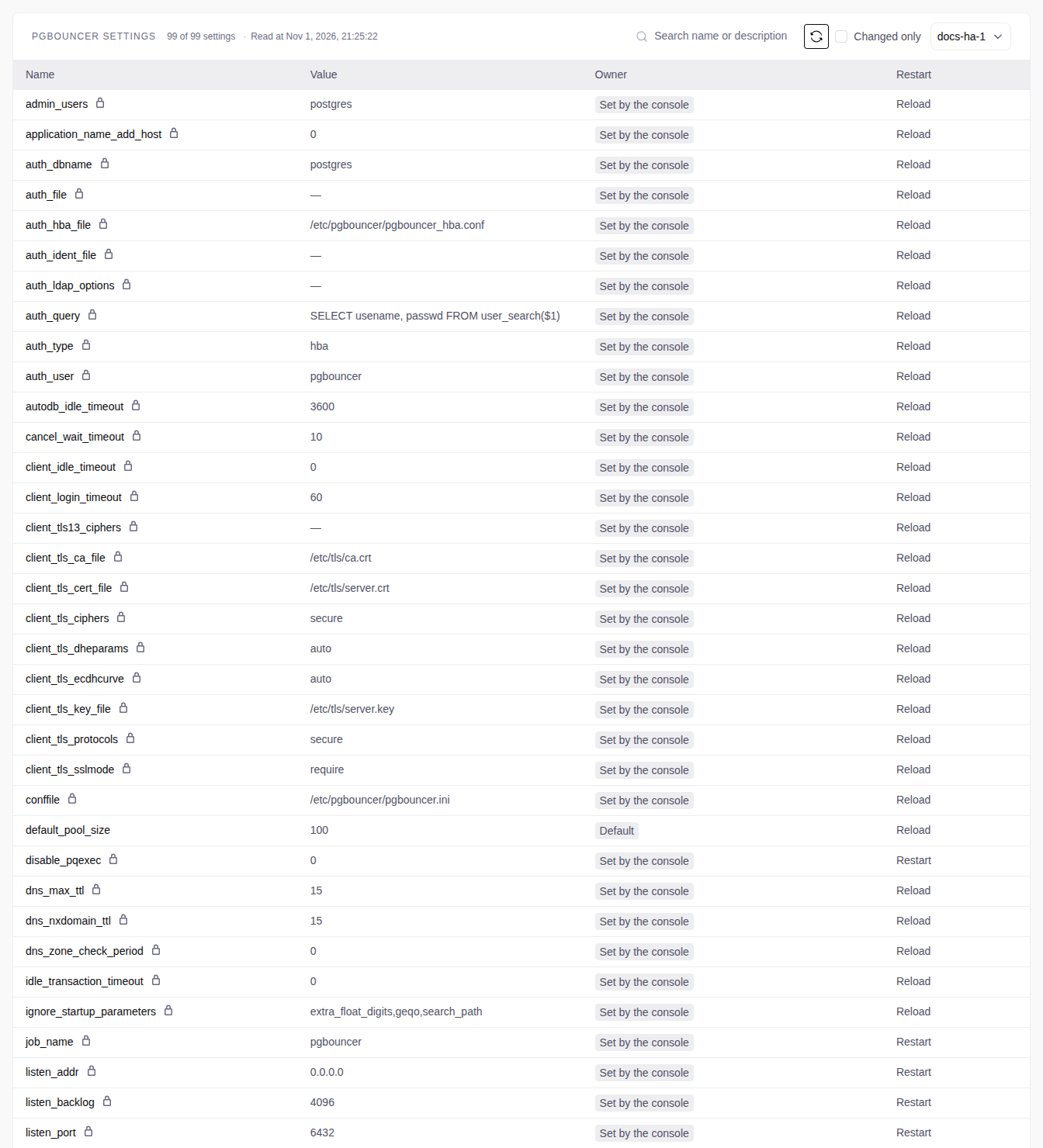
| Setting | Default | Allowed values |
|---|---|---|
pool_mode |
session |
session or transaction |
default_pool_size |
100 |
1 to max_connections minus the reserved connections, minus 1 |
max_client_conn |
100000 |
1 to 1000000 |
max_db_connections |
10000 |
0 (no limit) or more |
query_wait_timeout |
120 |
Seconds, 0 (no limit) or more |
max_prepared_statements |
1024 |
0 or more |
Write each number with no unit. The other PgBouncer settings are locked.
transactionmode: a client can get a different server connection for each transaction.SET, advisory locks,LISTENand temporary tables do not stay. Use it only when your clients do not need session state.default_pool_sizechangeswork_mem: the console divides the memory of each server by the pool size to sizework_mem. The review shows the newwork_mem. It needs only a reload.
Review and apply
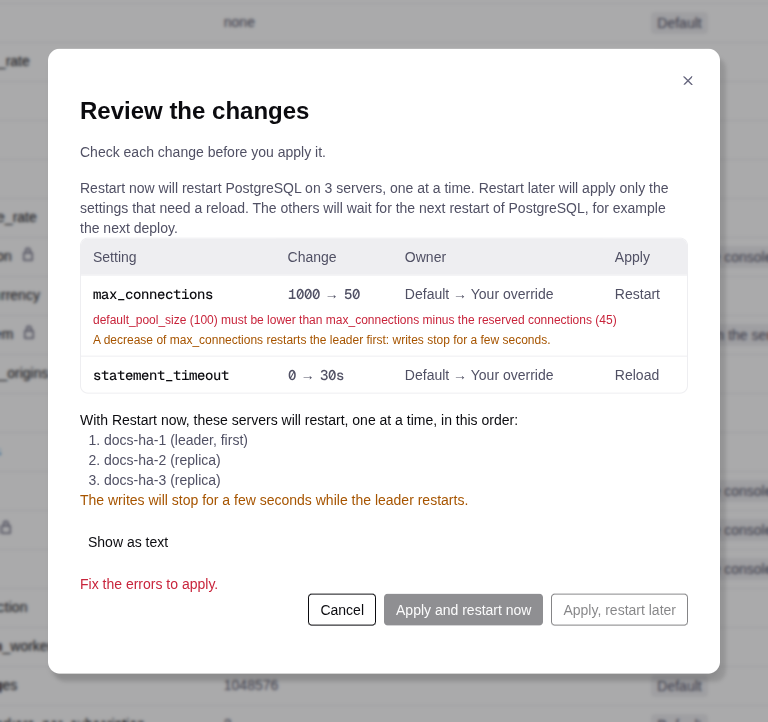
The review shows each change with the old and the new value, the owner, and Reload or Restart. Show as text shows your overrides as YAML, before and after. The review lists the servers that restart, in their order.
| Button | What happens |
|---|---|
| Apply | No change needs a restart. PostgreSQL reloads on each server. No connection stops. |
| Apply and restart now | PostgreSQL restarts on each server, one at a time. HA: the replicas first, then one switchover, then the old leader. Standard: the service stops during the restart. |
| Apply, restart later | Reload changes apply now. The other changes wait for the next restart of PostgreSQL. |
A decrease of max_connections, max_locks_per_transaction or
max_prepared_transactions restarts the leader first, with no switchover.
Writes stop for a few seconds. The decrease waits for Restart now when:
- the same restart also increases one of these settings.
- the change comes from a deploy or a restore of an HA service.
Pending restarts
The Restart pending column and a banner on the Configuration tab name the servers that must restart. Select Restart now in the banner.
Not applied
While the console applies a change, the row shows Applying. If the apply fails, the row shows Not applied, and the console restores the applied values. The operation log on the Operations tab gives the cause. Select Review and apply to try again, or Discard to go back.
A change cannot start while another operation runs on the service. Wait for it to end.
Two admins at the same time
| Message | Do this |
|---|---|
| The settings changed. Review them again. | Open the review again. It shows the other change. |
| The HBA rules changed after you started to edit them. | Select Load the new rules and make your changes again. |
| Expert mode, after any change | Select Load the new document and make your changes again. |
HBA rules
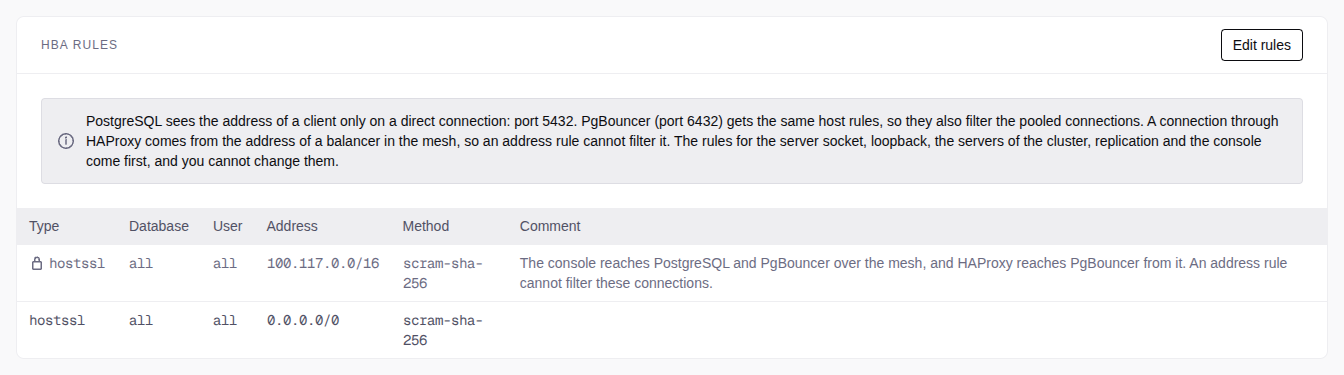
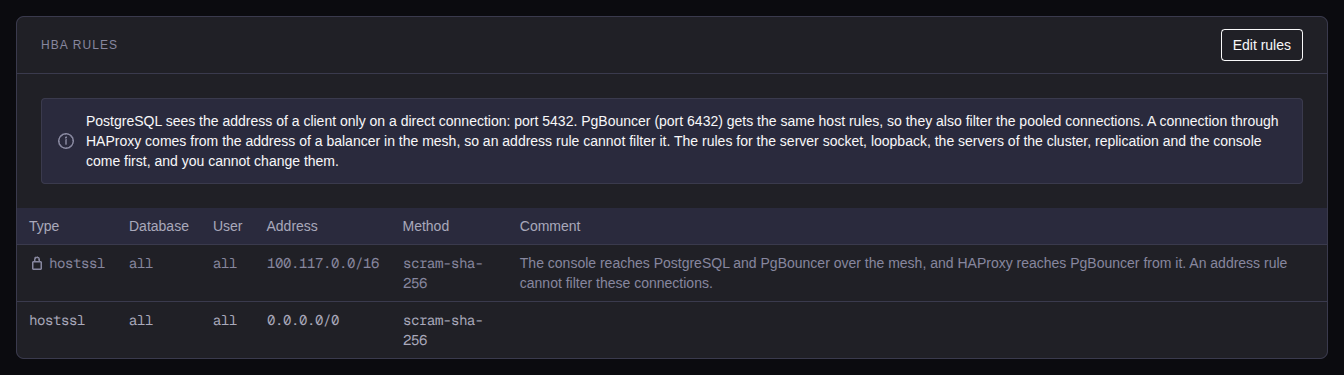
The HBA rules tell which clients can connect. They are in the table HBA rules at the end of PostgreSQL settings.
| Field | Values |
|---|---|
| Type | hostssl (TLS only), host, hostnossl or local |
| Database | all, sameuser, replication, or names separated by commas |
| User | all, or names separated by commas |
| Address | An IPv4 or IPv6 CIDR with no host bits, for example 10.20.0.0/16. Empty for local. |
| Method | scram-sha-256, md5, cert (hostssl only) or reject |
PostgreSQL uses the first rule that matches. The locked rules come first: the server itself, the servers of the cluster and replication, and the console (the mesh subnet). Your rules follow, in their order.
A new service has one rule: hostssl all all 0.0.0.0/0 scram-sha-256 (each
IPv4 client with a password and TLS). To let in fewer clients, change its
address, or add a reject rule above it.
Change the rules
Start the edit
Select Edit rules.
Edit the rules
Add, change, move or remove rules.
Review the rules
Select Done, then Review.
Apply the rules
Select Apply. PostgreSQL and PgBouncer reload. No server restarts.
Where the rules apply
- PostgreSQL (port 5432) and PgBouncer (port 6432) apply your
host,hostsslandhostnosslrules to the client address. - HAProxy: a connection comes from a server of the cluster, and the locked rules let it in. To filter these clients, use a firewall.
PgBouncer limits:
samerole,samegroup,+groupand options (for exampleclientcert=verify-full) are not allowed.- PgBouncer refuses each pooled connection that a
certrule matches. - A
localrule matches no connection.
HAProxy settings
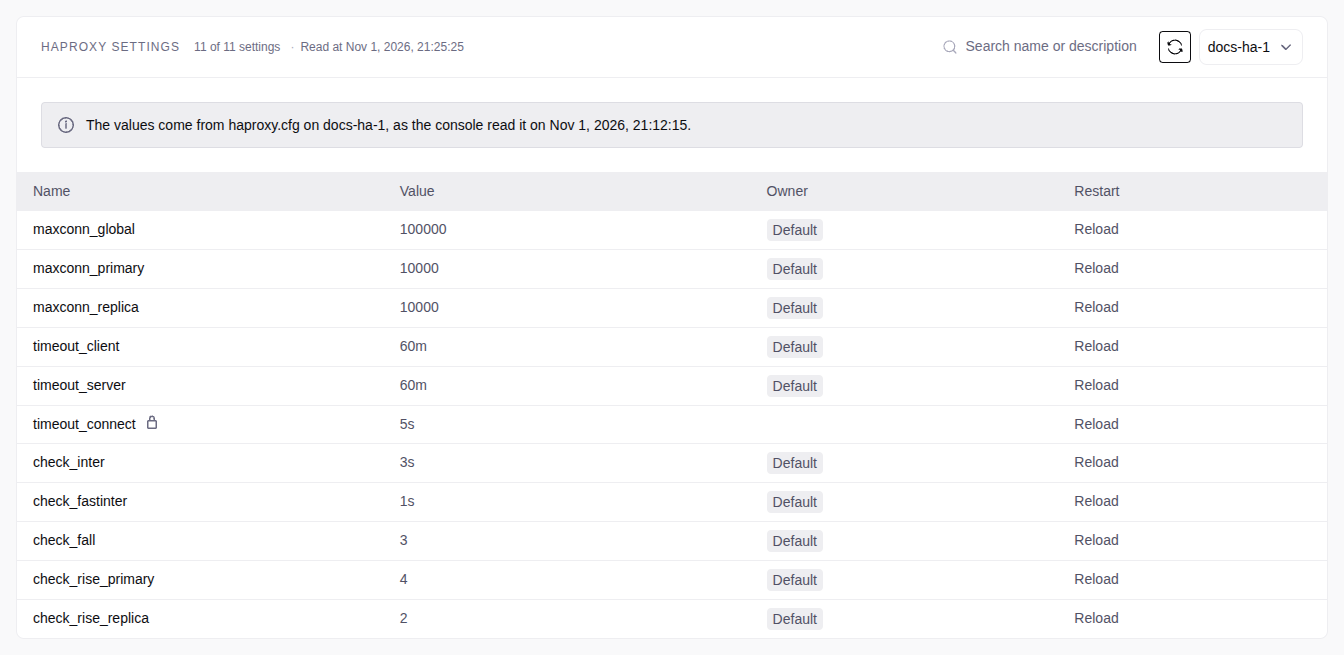
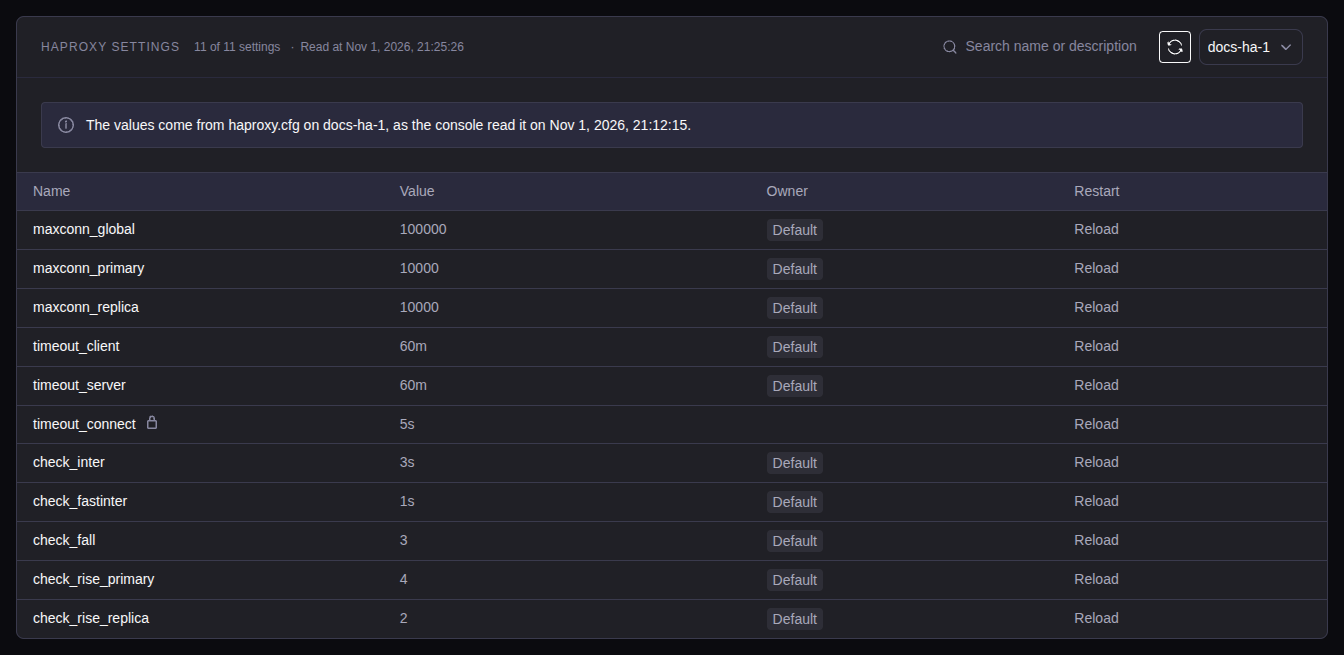
A High-Availability service runs HAProxy on each server. A Standard service has no HAProxy and no HAProxy settings section. Change a value as in Change a setting.
| Setting | What it does | Default | Allowed values |
|---|---|---|---|
maxconn_global |
Maximum connections of HAProxy | 100000 |
1 to 1000000 |
maxconn_primary |
Maximum connections to the leader | 10000 |
1 to maxconn_global |
maxconn_replica |
Maximum connections of each replica port | 10000 |
1 to maxconn_global |
timeout_client |
Idle time of a client connection | 60m |
1s to 24h |
timeout_server |
Idle time of a server connection | 60m |
1s to 24h |
check_inter |
Time between two health checks | 3s |
1s to 30s |
check_fastinter |
Time between two health checks while a server changes state | 1s |
1s to check_inter |
check_fall |
Failed checks before HAProxy marks a server down | 3 |
1 to 10 |
check_rise_primary |
Passed checks before HAProxy uses a new leader | 4 |
1 to 10 |
check_rise_replica |
Passed checks before HAProxy uses a replica | 2 |
1 to 10 |
A time is a whole number with us, ms, s, m, h or d. A number with
no unit is in milliseconds.
HAProxy marks a failed leader down after check_inter × check_fall (9
seconds with the defaults). The review warns above 9 seconds. The ports, the
listeners, the VIP and timeout_connect are locked.
Apply reloads HAProxy on one server at a time. Open connections stay open.
Roles
| Role | Can do |
|---|---|
| viewer | See the settings, the pending restarts and the config files. |
| operator | Also Restart now for pending restarts, and Check for drift. |
| admin | Also change, reset, remove, apply and discard settings and HBA rules. |
See Users and roles.
Expert mode: YAML
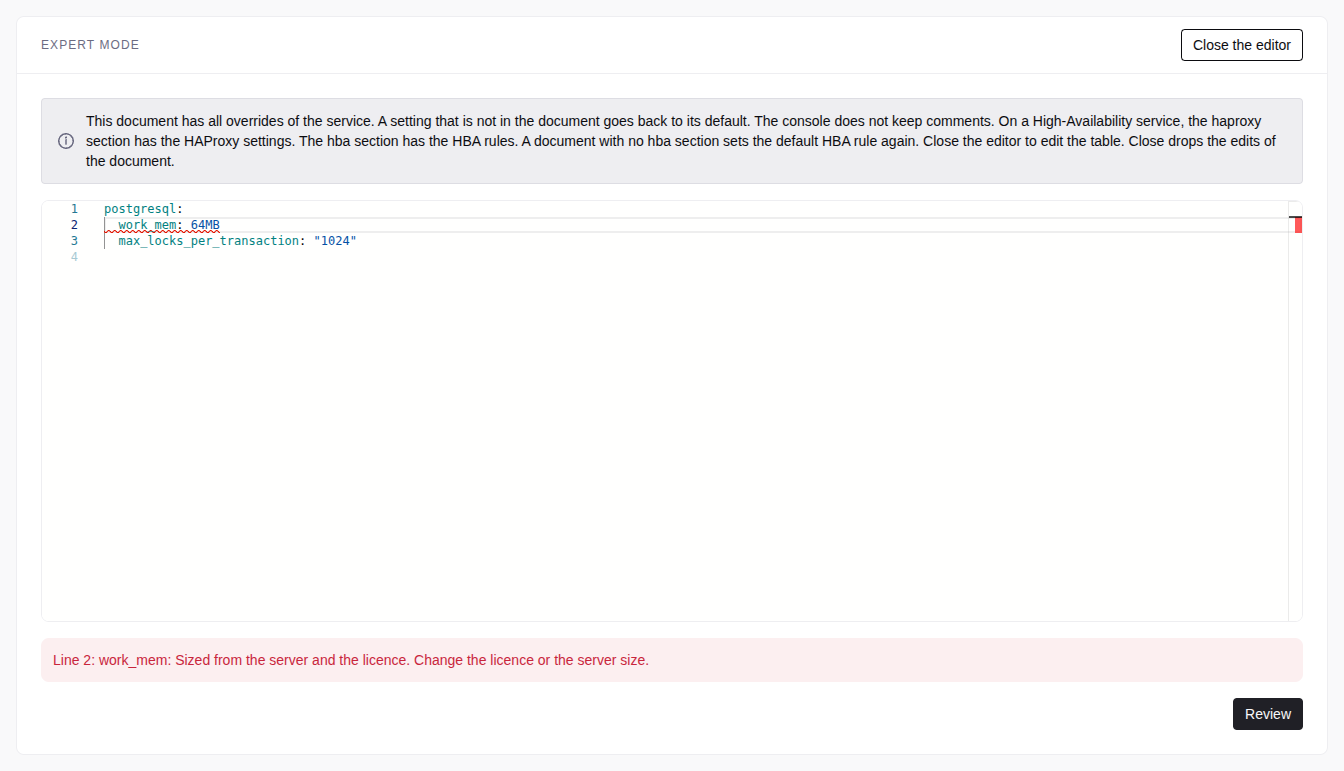
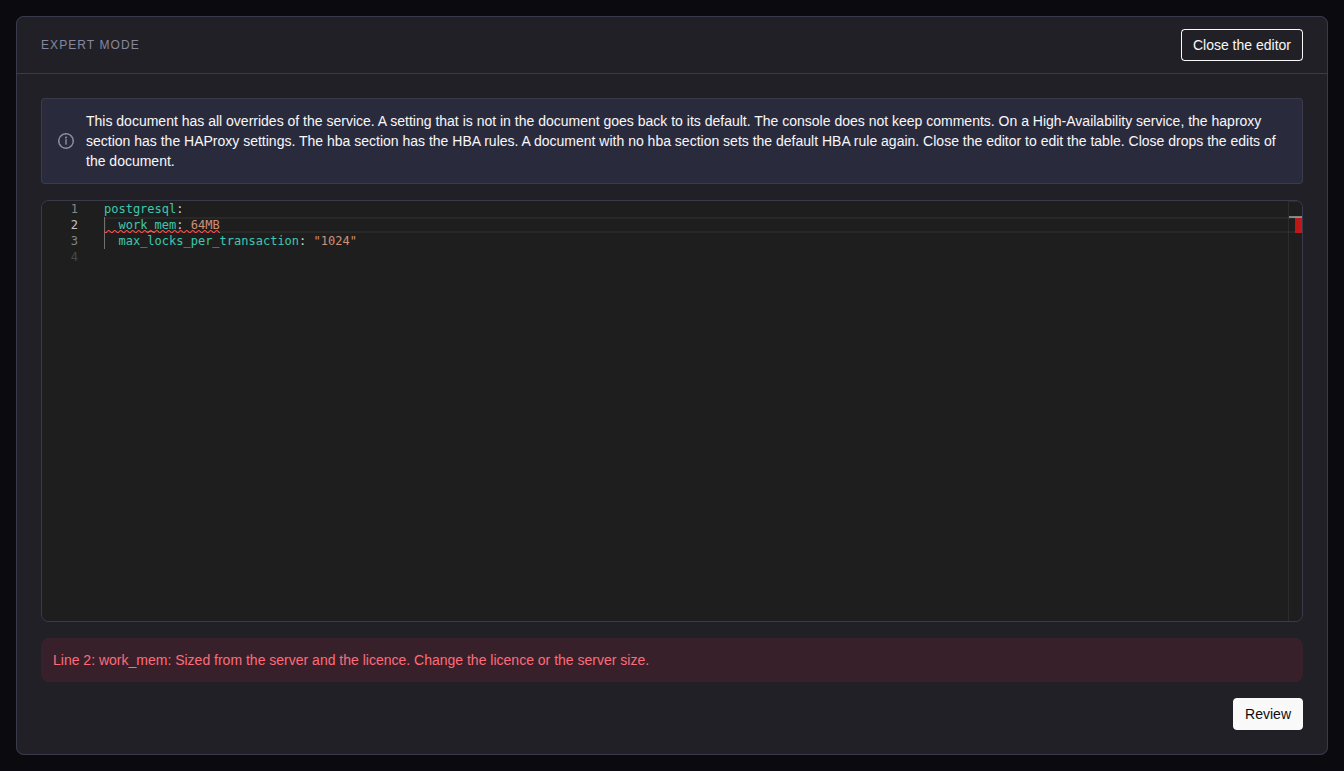
An admin can edit all overrides as one YAML document. In PostgreSQL settings or TimescaleDB settings, select Expert mode:
postgresql:
  log_min_duration_statement: 2s
  statement_timeout: 1min
pgbouncer:
default_pool_size: "50"- A setting that is not in the document goes back to its default.
- Other sections:
haproxy(HA only) andhba(only when your rules are not the default rule). A document with nohbasection sets the default rule again. - The console does not keep comments.
Select Review. The editor marks each error on its line. Expert mode opens only when the table has no changes. Close the editor drops your edits. Viewers and operators select Show as YAML to read the document.
Overrides and other operations
| Operation | Overrides |
|---|---|
| Deploy, licence change, rebuild, replace, restore in place | Written again, with the HBA rules. Sized settings change, your overrides stay. |
| Fork, restore into a new service | Copied from the source. A fork into another PostgreSQL major copies no override. |
| Service upgrade | Kept. Its restart applies each pending restart. |
| PostgreSQL major upgrade | Check refuses an override that the new major does not know or does not accept. Reset or change it on the Configuration tab, then run Check again. See Upgrade the PostgreSQL major. |
After an upgrade, an override that PostgreSQL refuses shows the error on its row. An unknown name has Reset only.
Config files
The Config files section shows patroni.yml, postgresql.conf,
postgresql.auto.conf, pg_hba.conf, pgbouncer.ini and (HA only)
haproxy.cfg of each server. Passwords show as <redacted>. The files are
read-only.
The console keeps each version of the last 90 days, and at least the last 20 versions of each file. Select a server and a file. View shows one version. Compare shows two versions, or the same file on two servers.
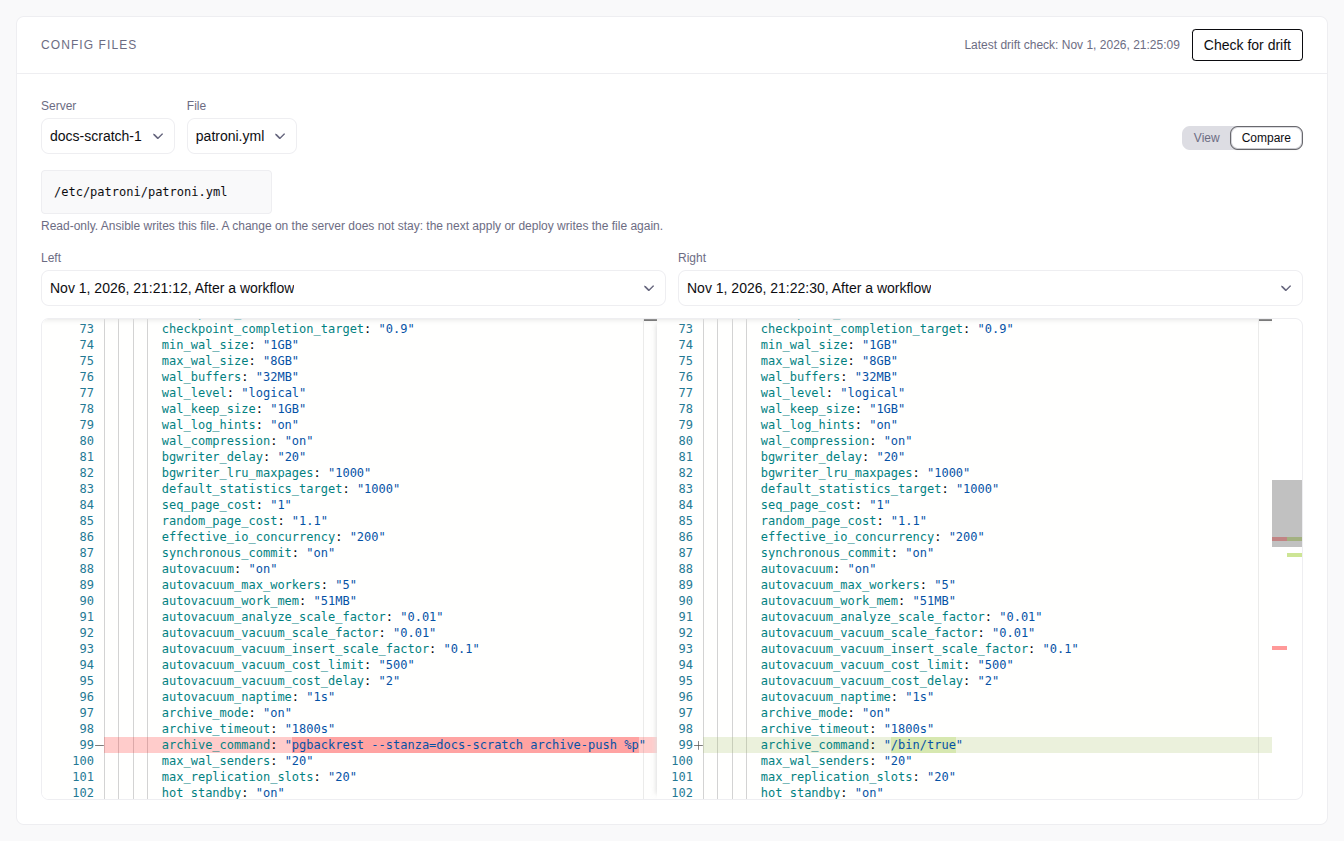
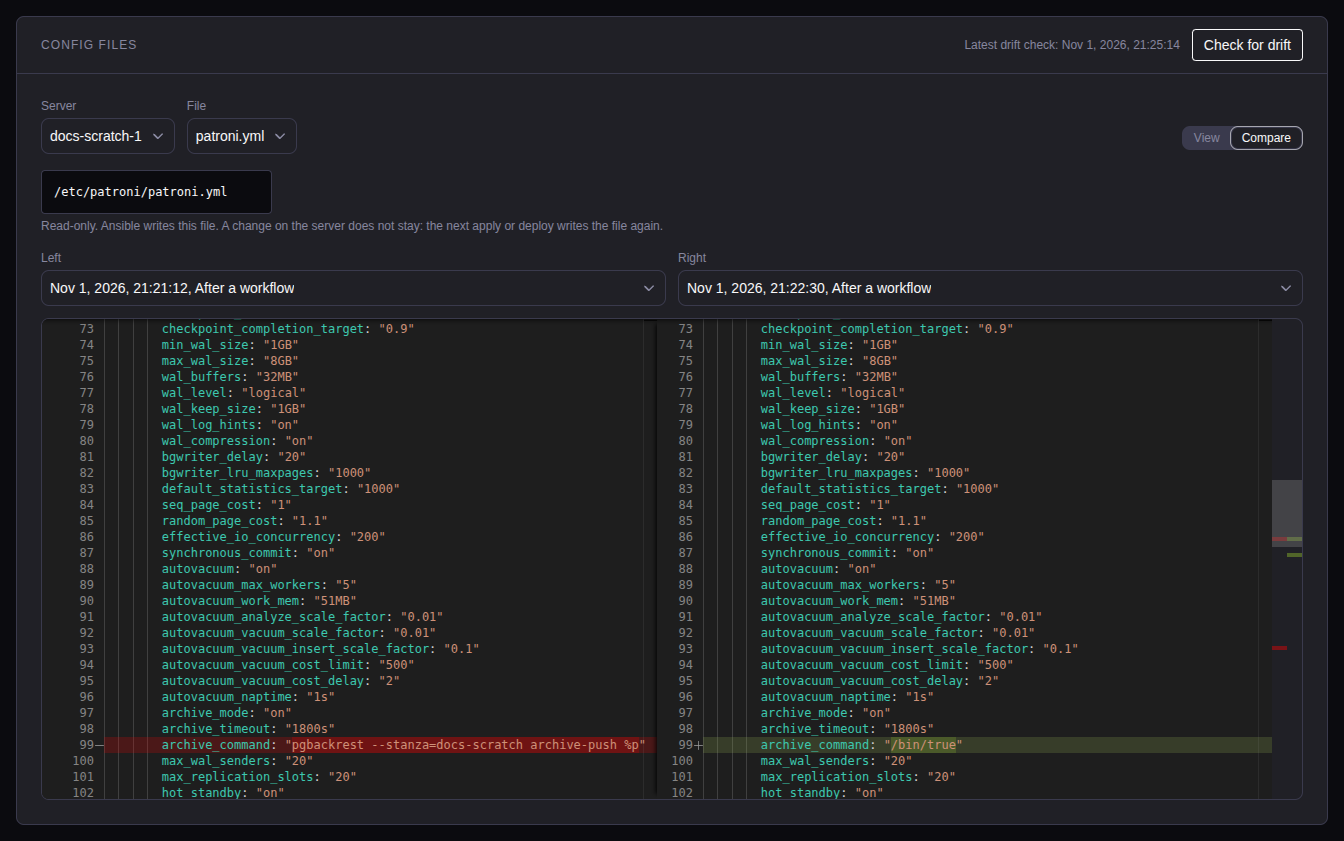
Check for drift reads the files again. A file that changed outside the
console shows a warning. A setting in postgresql.auto.conf also shows a
warning: remove it with ALTER SYSTEM RESET <name>.